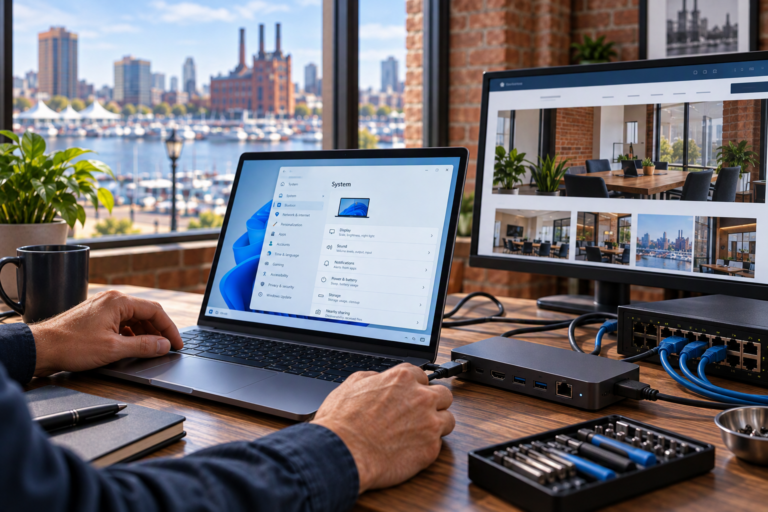
Remote Monitoring & Management in Baltimore, MD helps businesses keep better track of computer health without relying entirely on employees to notice and report problems. SyncTek Solutions provides RMM as part of its managed technology services, supporting proactive maintenance, system visibility, and remote technical assistance. It is a practical foundation for organizations that need dependable technology but lack an internal IT team.
Remote Monitoring & Management in Baltimore, MD
Remote Monitoring and Management, usually shortened to RMM, combines tools that observe supported systems with capabilities for maintaining them remotely. Monitoring helps identify conditions that may need attention. Management supports tasks such as updates, troubleshooting, and other agreed maintenance activities.
For a small business, the benefit is better visibility into computers that might otherwise receive attention only after something stops working. RMM does not eliminate every technology problem, but it helps replace guesswork with information about the managed environment.
What Monitoring Can Help Identify
System health and performance monitoring can reveal developing concerns before users fully understand the cause. A computer running short on storage, for example, may become harder to use or maintain. Visibility into that condition creates an opportunity to investigate rather than wait for a more disruptive symptom.
Depending on the selected service and supported environment, remote monitoring and management may involve:
- 24/7 automated system health monitoring.
- Performance monitoring and real-time alerts.
- Operating system updates and patch management.
- Device inventory and asset information.
- Remote support capabilities.
- Security monitoring and endpoint management.
- Issue response and technical troubleshooting.
The exact scope should be confirmed when choosing a service plan. Monitoring coverage, professional support time, and other included features should not be assumed to be identical across every managed service.
From an Alert to a Useful Next Step
A monitoring alert is information, not a completed repair. It indicates that a condition may deserve review. The next step depends on the issue, its effect on the business, and the agreed support scope. Some concerns may be addressed remotely; others may require user input, hardware diagnostics, or onsite assistance where available.
For example, a storage warning may lead to investigating unnecessary files, application behavior, or capacity needs. Simply removing files without understanding their purpose could create another problem. Professional interpretation helps turn monitoring data into an appropriate action rather than an automatic assumption.
Likewise, repeated performance concerns can support longer-term planning. A device may need configuration changes, an upgrade, or eventual replacement. RMM provides useful context for that decision, but it does not remove the need for technical judgment.
Keeping Monitoring and Support Expectations Clear
24/7 automated monitoring is not the same as guaranteed 24/7 human support. Applicable SyncTek Solutions managed services can monitor systems around the clock. Standard email and phone technical support is available Monday through Friday, 9:00 AM to 6:00 PM Eastern Time.
After-hours assistance may be handled on a best-effort basis. Businesses should discuss support coverage and service scope before enrolling, especially if they depend on technology outside standard hours. Clear expectations are more useful than assuming every alert receives immediate human attention.
How RMM Fits Into a Broader Technology Plan
Remote management is one component of organized IT support. It works alongside device maintenance, endpoint security, user account administration, and technology documentation. SyncTek Solutions also provides Microsoft 365 services, network management, and backup planning to address needs that extend beyond individual computers.
These services have different roles. Endpoint security helps detect and address threats on devices. Microsoft 365 administration supports cloud accounts and productivity tools. Backup provides another recoverable copy of important information. RMM should not be treated as a replacement for any of these functions.
For a business with an office and home-based workers, discussing the full environment helps identify what needs management and what falls outside the proposed plan. Confirm supported devices, relevant maintenance tasks, and any separate service requirements.
Starting With the Right Scope
Begin with a conversation about your devices, users, applications, and recurring concerns. Explain which systems are essential to daily work and where support has been inconsistent. This gives SyncTek Solutions context for recommending an appropriate management approach.
Review current pricing information, plan features, and included service time before moving forward. Month-to-month options are available, and additional professional service time beyond a plan’s included allowance may be billed separately. Personalized recommendations help keep the focus on useful oversight rather than unnecessary complexity.
FAQs
Is RMM only useful for larger companies?
No. Small businesses can benefit from consistent monitoring and maintenance, particularly when no employee has dedicated responsibility for IT.
Does remote management replace onsite service?
No. Many tasks can be handled remotely, but physical hardware, cabling, and other onsite concerns may require a different support approach.
Does monitoring guarantee that failures will be prevented?
No. Monitoring improves visibility and can reveal warning signs, but some problems occur without a useful advance warning.
Talk to SyncTek Solutions
Request a technology assessment to discuss remote monitoring and management for your Baltimore-area business. Call 410-368-0084 or email support@syncteksolutions.com for practical guidance and current service information.