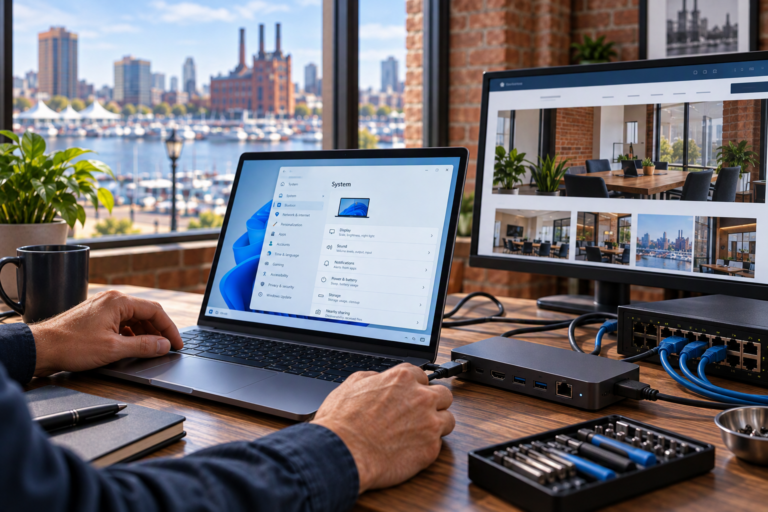
Remote computer support in Baltimore provides a practical way to address many technology problems without an onsite visit. SyncTek Solutions helps small businesses, home offices, and residential users troubleshoot computer issues through an internet connection when the device and problem are suitable for remote assistance.
If an application will not open, email is behaving unexpectedly, or a computer has become frustratingly slow, remote troubleshooting may be an appropriate starting point. You receive help from a person who can explain the issue and recommend next steps in understandable terms.
Remote Computer Support in Baltimore
Remote support allows a technician to work with a computer over an internet connection using remote-access software. With authorized access, a technician can investigate settings, review errors, and make appropriate software changes without being physically beside the device.
This approach is useful when the computer starts, connects to the internet, and can establish a support session. It is not a replacement for every type of service. Physical damage, failing components, and unavailable network connections may require a different approach.
SyncTek Solutions supports Windows and macOS computers and helps determine whether remote assistance fits the situation before proceeding.
Problems That May Be Addressed Remotely
Many everyday computer issues involve software, user accounts, or configuration rather than physical equipment. Depending on access and the nature of the problem, remote assistance may cover:
- Software installation and application troubleshooting.
- Windows and macOS settings and operating system issues.
- Computer performance investigation and optimization.
- Business email and Microsoft 365 troubleshooting.
- Printer software and configuration problems.
- Backup software questions and configuration assistance.
- Security software concerns and certain malware-related issues.
- User account and access troubleshooting.
A printer issue, for example, might be caused by a software setting that can be corrected remotely. A damaged cable or mechanical fault would require hands-on attention. Identifying that distinction early helps avoid spending time on the wrong solution.
How a Remote Support Session Works
Explain What Is Happening
Start with the symptoms, the affected application or device, and any error message. Mention whether the issue began after an update, installation, password change, or equipment change. This context helps guide the investigation.
Confirm Connection and Access Requirements
The computer generally needs power, a working internet connection, and the ability to run the required support software. Some changes require administrator authorization. SyncTek Solutions can discuss access requirements and whether remote troubleshooting is appropriate for the requested work.
Troubleshoot and Make Appropriate Changes
Remote assistance can involve reviewing settings, checking system behavior, updating software, and testing possible causes. Recommendations should reflect what the investigation reveals rather than assume every slowdown requires new equipment.
Test the Original Task
Once changes are complete, try the activity that was failing. Testing helps confirm progress and identify whether additional work is needed. If a physical issue becomes apparent, onsite support or hardware diagnostics may be the next step.
Preparing for Remote Assistance
A little preparation can make the session more productive. Save open work, connect a laptop to power, and have relevant error messages available. Be prepared to describe what a successful outcome looks like, such as opening a particular file or sending email from the correct account.
Keep control of sensitive account information. Do not send passwords in a routine support email. If a sign-in or verification prompt is required, ask how to complete it appropriately. Only authorize remote access when you have verified that you are communicating with your intended support provider.
For business computers, confirm that the person requesting assistance is authorized to approve the work. Changes involving company accounts or shared resources may require an owner’s or administrator’s involvement.
One-Time Help and Ongoing Computer Management
Occasional support can address a specific problem. Businesses that need continuing maintenance can also discuss managed computer services with SyncTek Solutions. Depending on the selected plan, these may include remote monitoring, updates, endpoint security, alerts, and professional support time.
Where applicable, 24/7 monitoring refers to automated monitoring and alerting. Standard email and phone support is available Monday through Friday, 9:00 AM to 6:00 PM Eastern Time. After-hours support is best-effort, not guaranteed 24/7 human assistance.
Related services include computer support, Microsoft 365 administration, backup planning, and onsite assistance where available. Consult current pricing information and confirm any plan inclusions or separately billed service time.
FAQs
Can you help if my computer will not turn on?
A remote session cannot run on a computer that does not start. Contact SyncTek Solutions to discuss whether onsite assistance or hardware diagnostics is appropriate.
Does remote support work for home users?
Yes. Remote assistance is available for suitable residential computer issues as well as business and home-office needs.
Can all malware issues be handled remotely?
No. Some situations require additional investigation or hands-on work. No removal process or security product guarantees protection from every threat.
Request Remote Technical Support
Contact SyncTek Solutions at 410-368-0084 or support@syncteksolutions.com. Describe your computer issue and whether the device can connect to the internet to discuss the appropriate next step.