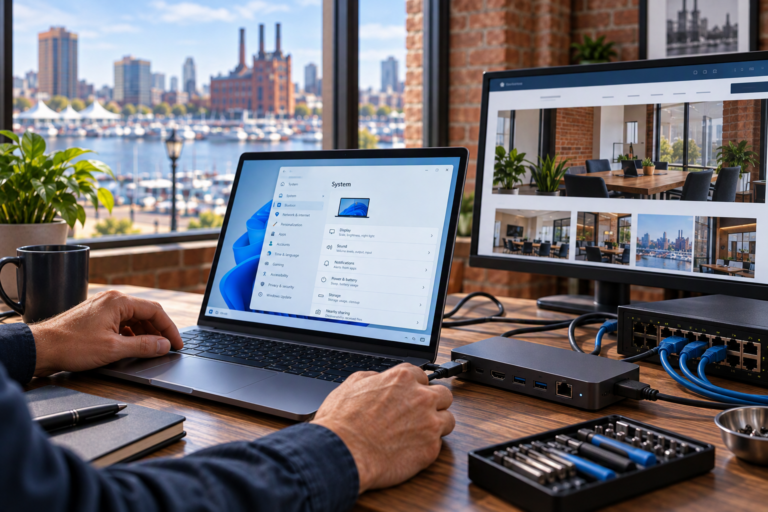
Mac support in Baltimore, MD, should make using your computer easier, not leave you with more technical questions. SyncTek Solutions provides macOS support for small businesses, home offices, and residential customers who need practical help with computer problems. Whether your Mac has become slow, an application will not open, or you are setting up a replacement computer, the focus is on restoring reliable operation and explaining your options clearly.
Mac Support in Baltimore, MD
Mac computers need maintenance, troubleshooting, and security attention just like other devices. Problems may involve software, storage, account settings, connected equipment, or hardware. Identifying the source before making changes helps avoid unnecessary purchases and repeated troubleshooting.
SyncTek Solutions takes a personalized approach. A self-employed professional working from home may need help reconnecting business email, while a small office may need its Macs to work reliably alongside Windows computers and shared printers. Recommendations should reflect how you actually use your technology.
Help With Everyday Mac Problems
Computer support can address a single frustrating issue or several related concerns. Depending on your computer and requirements, assistance may include:
- Diagnosing slow startup, freezing, and inconsistent performance.
- Troubleshooting macOS errors and application crashes.
- Installing compatible software and addressing update problems.
- Setting up a new Mac and organizing essential settings.
- Configuring email, Microsoft 365 applications, and connected devices.
- Investigating printer and network connectivity issues.
- Assessing backup needs and helping transfer important files.
- Reviewing potential malware symptoms and security concerns.
Hardware diagnostics can help determine whether a problem is software-related or needs further hardware attention. Upgrade possibilities vary by Mac model, so adding memory or replacing internal storage is not always an available or appropriate solution.
A Practical Troubleshooting Process
Understand the symptoms
Useful troubleshooting starts with a conversation about what changed, when the issue occurs, and how it affects your work. Error messages, recent updates, and information about connected devices can help narrow the investigation. You do not need to diagnose the problem before asking for help.
Check the system and explain the options
The next step may involve reviewing available storage, startup applications, operating system compatibility, or account configuration. Before significant changes, it is important to consider whether your files have a usable backup. Recommendations should distinguish between an immediate fix and optional improvements.
Make changes and verify everyday tasks
A useful result goes beyond making an error disappear. Testing should focus on the tasks that matter to you, such as opening documents, accessing email, connecting to Wi-Fi, or printing. Where appropriate, follow-up guidance can help you maintain the improvement and recognize recurring symptoms.
Keep Your Mac Reliable and Better Protected
A Mac is not immune to malicious software, unsafe downloads, or compromised accounts. Routine updates, appropriate account permissions, trusted software sources, and multifactor authentication all contribute to a more secure setup. Multifactor authentication adds another identity check beyond a password.
Backups are equally important, but they serve a different purpose from security tools. A backup provides another recoverable copy of information if the original becomes unavailable. SyncTek Solutions can help you consider backup and recovery needs alongside performance and security improvements.
For businesses needing ongoing assistance, ask about managed computer services and whether your devices qualify for the selected plan. Monitoring, maintenance, security features, and included support time depend on the service arrangement. Automated monitoring should not be confused with guaranteed around-the-clock human support.
Why Choose Professional Mac Support?
Repeatedly reinstalling applications or following unrelated online fixes can consume time without resolving the underlying cause. Professional troubleshooting helps connect the symptoms to a practical course of action and reduces unnecessary changes to a working system.
SyncTek Solutions is a local Baltimore-area technology partner serving smaller organizations and individual users. The approach emphasizes understandable recommendations, personalized assistance, and long-term reliability rather than pushing unnecessary equipment. Remote and onsite support may be available depending on the issue and service requirements. For costs, request a clear scope and consult current SyncTek Solutions pricing information.
FAQs
Can you help with an older Mac?
Support starts with reviewing the model, operating system, and symptoms. Software compatibility and available security updates can affect the options. If replacement is more practical than further troubleshooting, that tradeoff should be explained clearly.
Can Mac support be provided remotely?
Many software and configuration problems can be investigated remotely when the Mac starts and has a working internet connection. Hardware concerns or connectivity failures may require a different support arrangement.
Should I back up my Mac before getting help?
If the computer is operating normally enough to do so, having a current backup is useful. If you suspect storage failure or missing files, avoid unnecessary changes and ask for guidance first.
Request Mac Support
Contact SyncTek Solutions at 410-368-0084 or support@syncteksolutions.com to discuss your Mac and the help you need. Standard phone and email support is available Monday through Friday, 9:00 AM to 6:00 PM Eastern Time. After-hours assistance may be handled on a best-effort basis.