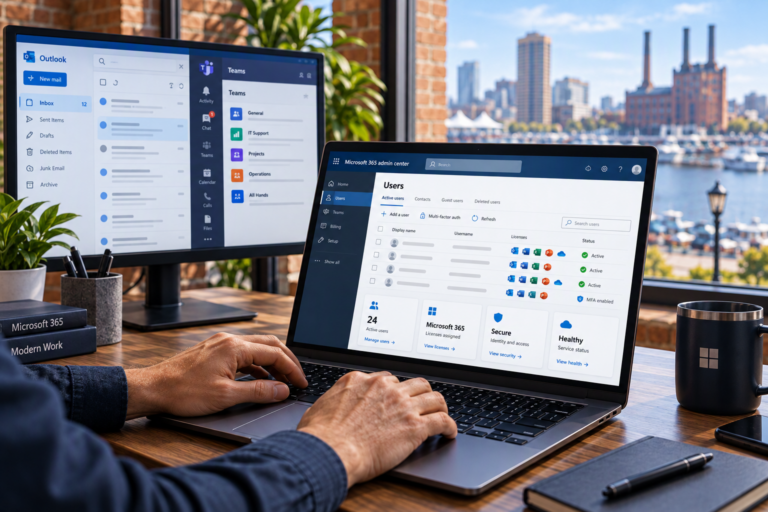
Software installation and troubleshooting in Baltimore, MD, helps keep essential applications working without turning every error into a lost afternoon. SyncTek Solutions assists small businesses, home offices, and residential customers with software setup, update problems, and application failures. Whether you need a new program installed or help understanding why familiar software suddenly stopped working, the goal is a reliable setup that fits your computer and daily tasks.
Software Installation & Troubleshooting in Baltimore, MD
Installing software involves more than downloading a file and clicking through prompts. Operating system requirements, available storage, account permissions, licensing, and existing applications can all influence the outcome. A program may install successfully yet still fail when opening a document or connecting to an online account.
SyncTek Solutions provides practical support for Windows and macOS users. Assistance focuses on identifying the obstacle, explaining the available options, and helping the application function as intended. Compatibility with a particular product or version should be reviewed before work begins.
Common Software Problems We Help Address
Software issues often interrupt the tasks people rely on most, including email, document preparation, and access to business information. Support may involve:
- Installing compatible applications from trusted sources.
- Investigating failed installations and incomplete updates.
- Troubleshooting programs that freeze, crash, or will not open.
- Reviewing sign-in, activation, and account-related errors.
- Addressing conflicts between applications or background processes.
- Checking permissions that prevent normal application use.
- Helping configure Microsoft 365 applications and business email.
- Reviewing settings that affect software performance.
Some issues originate outside the computer. An expired subscription, a vendor outage, or a product limitation may require action from the software provider. Distinguishing these situations from local configuration problems helps avoid wasted effort.
A Careful Installation and Troubleshooting Process
Review your requirements
The first step is understanding what the software needs to accomplish. For a home user, that might mean opening a specific file type. For a business, it could involve several employees sharing documents or accessing the same service. Your computer specifications and operating system help determine whether the proposed setup is suitable.
Prepare the computer and protect important information
Before changes, it may be necessary to review existing versions, available disk space, and backup status. Applications that store local information deserve particular care. Uninstalling a program without checking where it keeps its data can create an avoidable recovery problem.
Install or troubleshoot methodically
Rather than changing several settings at once, a structured approach tests likely causes and evaluates the result. Depending on the issue, that could mean correcting permissions, updating a supported component, repairing an installation, or adjusting application settings. Major version changes should account for compatibility with other tools you use.
Test the tasks that matter
Opening the application is only the beginning. Verification may include opening an existing document, signing in, saving a file, printing, or checking access to shared information. The objective is to confirm that the software supports your actual workflow.
Security and Licensing Matter
Unofficial installers and supposed repair utilities can introduce unwanted software or security risks. Using legitimate installation sources and supported versions helps reduce those risks. Software licenses also need to match the intended use and number of users or devices.
SyncTek Solutions does not need to promise that every application can run on every computer to provide useful guidance. If a product is unsupported or incompatible, the practical recommendation may be a supported version, a different tool, or a computer replacement plan. Licensing and subscription costs should be confirmed separately rather than assumed to be included in technical support.
Local Help Without Unnecessary Complexity
SyncTek Solutions works with Baltimore-area businesses and individuals who want understandable answers from a practical technology partner. Recommendations prioritize the problem at hand while considering longer-term stability and security.
For organizations with recurring software issues, related services such as managed computer support, Microsoft 365 administration, and backup planning may help reduce repeated disruptions. Features and included professional service time depend on the chosen plan. Additional work may be billed separately, so review current pricing and the proposed scope before proceeding.
FAQs
Can you help with software that was already installed?
Yes. Troubleshooting can investigate existing applications that no longer work correctly. Share the product name, version, error message, and any recent changes so the support approach can be assessed.
Do I need my software license or account information?
You may need access to the licensed account or original purchase information. Do not email passwords or activation secrets unnecessarily; ask how sensitive information should be handled.
Can all software problems be fixed remotely?
Many installation and configuration issues are suitable for remote support. Internet access, computer condition, and the nature of the problem determine whether remote assistance is appropriate.
Request Software Support
Call 410-368-0084 or email support@syncteksolutions.com to contact SyncTek Solutions. Describe the software, your computer, and the issue you are experiencing. Standard phone and email support is available Monday through Friday, 9:00 AM to 6:00 PM Eastern Time, with after-hours assistance handled on a best-effort basis.