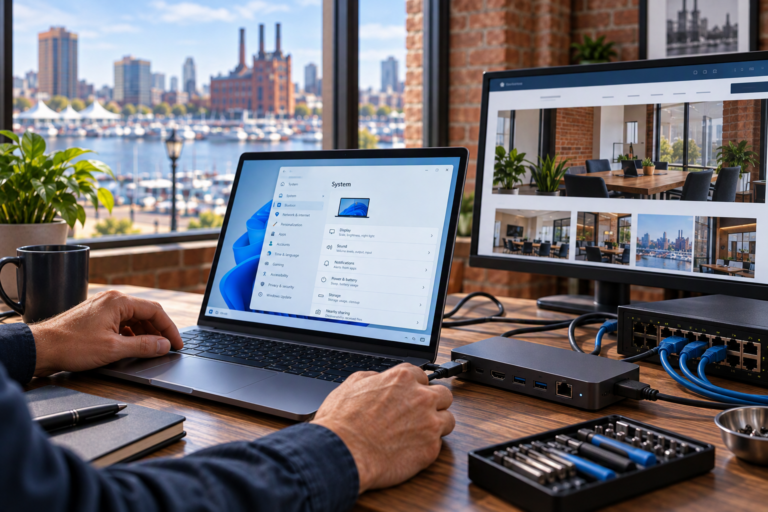
Wi-Fi optimization & troubleshooting in Baltimore helps businesses address slow connections, weak coverage, and frustrating wireless interruptions. SyncTek Solutions provides practical network support to identify what is causing the problem and recommend changes that fit your workspace, devices, and daily activities.
Unreliable Wi-Fi can interrupt video calls, delay cloud applications, and leave employees moving around the office to find a usable connection. Replacing the router or adding another access point may help in some situations, but those changes are most useful when they address an identified cause.
Wi-Fi Optimization & Troubleshooting in Baltimore
Troubleshooting identifies why a wireless connection is not working as expected. Optimization adjusts the existing setup to improve coverage, capacity, or consistency. Together, these services focus on making the network more useful for real work rather than chasing a single speed-test result.
SyncTek Solutions supports small businesses, home offices, and other Baltimore-area customers who need understandable help with connectivity. This service can be especially useful after an office move, equipment change, increase in connected devices, or unexplained decline in performance.
The first question is not always whether the Wi-Fi signal is strong. It is whether the problem comes from the wireless connection, the wired network, the internet provider, an application, or the device itself.
Common Wireless Problems and Their Causes
Weak Coverage in Certain Areas
Walls, distance, shelving, and equipment placement can reduce usable wireless coverage. An access point tucked into a cabinet or positioned at one end of a large workspace may not serve the areas where employees need connectivity.
Strong Signal but Slow Performance
Signal strength does not measure available capacity. A busy wireless channel, too many active devices, a limited internet connection, or an issue elsewhere in the network can slow work even when the signal indicator looks healthy.
Dropped Connections or Unstable Meetings
Interference, equipment problems, device settings, and configuration mismatches can contribute to interruptions. Problems that occur only while moving between rooms may require a different approach from problems affecting every connected device simultaneously.
One Device Behaves Differently
If a single laptop struggles while nearby devices work normally, its wireless adapter, software, or settings may deserve attention. Computer troubleshooting can complement network support when the issue is isolated to an endpoint.
What Optimization May Include
Depending on the findings and agreed scope, SyncTek Solutions may provide wireless access point configuration, performance tuning, firmware management, connectivity troubleshooting, and recommendations for equipment placement or replacement.
- Configuration review: Examine settings that influence wireless operation and device access.
- Channel adjustments: Reduce avoidable competition between nearby wireless networks where practical.
- Coverage improvements: Recommend more appropriate access point placement or equipment when needed.
- Capacity review: Consider whether the network can support current users and applications.
- Connected infrastructure checks: Investigate routers, switches, and other components that may affect wireless performance.
- Security recommendations: Review relevant access controls and network separation needs.
Not every issue requires every step. Recommendations should follow the evidence and account for equipment capabilities, business priorities, and budget.
A Clear Troubleshooting Process
First, describe the pattern. Note where the problem occurs, which devices are affected, and whether it happens at particular times. Details such as calls drop in the conference room after lunch are more useful than a general report that the internet feels slow.
Next, isolate the source. Comparing wired and wireless behavior can help distinguish Wi-Fi issues from broader connectivity problems. Reviewing different devices and locations can further narrow the investigation.
Then, make targeted changes. Configuration adjustments, maintenance, equipment relocation recommendations, or hardware changes should address the identified limitation. Changing several unrelated settings at once can make results harder to evaluate.
Finally, check the outcome. Follow-up checks should reflect the original complaint and normal business activities. Documenting relevant changes supports easier troubleshooting if another issue appears later.
Why Choose SyncTek Solutions?
SyncTek Solutions provides personalized local support with explanations that do not require an IT background. Businesses in Baltimore, Towson, Parkville, and surrounding communities can get practical recommendations without automatically being steered toward a complete network replacement.
Remote and onsite support may be appropriate depending on the issue. For businesses with recurring concerns, network monitoring or ongoing access point management can complement one-time troubleshooting and improve visibility over time.
FAQs
Should I buy a Wi-Fi extender first?
Not necessarily. An extender may increase reach, but it may not solve interference, capacity, or upstream connection problems. Identify the cause before purchasing equipment.
Can you guarantee a particular wireless speed?
No. Results depend on the environment, equipment, connected devices, internet service, and application demands. Recommendations focus on practical improvements rather than guaranteed speeds.
What should I prepare before requesting support?
Gather equipment details and examples of affected devices, locations, and times. Mention any recent changes to the network or workspace.
Request Wi-Fi Troubleshooting
Get help finding the cause of unreliable wireless service. Call 410-368-0084 or email support@syncteksolutions.com to contact SyncTek Solutions. Review current pricing information and confirm the support scope before work begins.