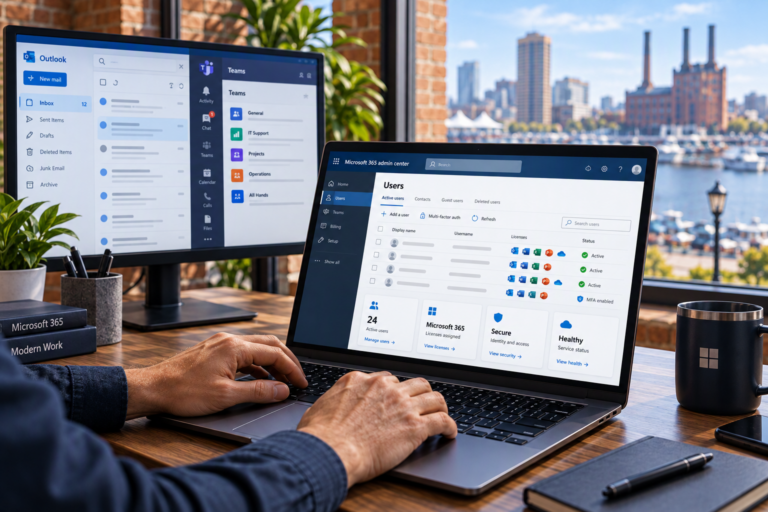
Exchange Online Management in Baltimore, MD helps businesses maintain the email service they rely on for customer communication, scheduling, and daily operations. SyncTek Solutions provides Microsoft 365 administration and troubleshooting for small organizations that need practical support without an internal IT department.
Once email is working, it still needs attention. Employee changes, mailbox permissions, delivery problems, and security settings can gradually create confusion if nobody is responsible for administration. Proactive management keeps those details from becoming an avoidable operational burden.
Exchange Online Management in Baltimore, MD
Exchange Online is Microsofts cloud-hosted business email and calendar service. Microsoft operates the underlying platform, while your organization remains responsible for decisions about users, access, configuration, and the handling of business information.
SyncTek Solutions helps manage those business-side responsibilities. Support can include mailbox administration, shared mailbox access, account changes, domain configuration, email authentication, and troubleshooting. Specific features and management options depend on your subscription and agreed service scope.
Problems Ongoing Management Can Address
Small email issues often reveal larger administrative gaps. An employee may lose access to a shared mailbox, a departing staff member may still have an active account, or an outside recipient may stop receiving messages from your domain.
Exchange Online support is useful when you need help with:
- Creating and maintaining employee mailboxes.
- Organizing access to shared business addresses.
- Investigating sending and receiving problems.
- Reviewing mailbox permissions and forwarding settings.
- Coordinating account changes during hiring and departures.
- Understanding mailbox capacity and service limitations.
- Maintaining email-related DNS and authentication settings.
What SyncTek Solutions Can Manage
Mailbox access and permissions
Employees should have access to the mailboxes they need without receiving unnecessary administrative privileges. SyncTek Solutions can help configure and review permissions so shared communication supports clear responsibilities rather than shared passwords.
For example, several employees may need to respond from a general business mailbox. Their access should be assigned through appropriate permissions, with licensing requirements reviewed for the mailboxs features and use.
User lifecycle changes
Onboarding involves creating appropriate access and confirming that email works as expected. Offboarding requires decisions about sign-in access, active sessions, mailbox ownership, and information that the business needs to retain.
These steps should be coordinated before a license or account is removed. A consistent process helps protect business continuity while reducing the chance that former users retain unnecessary access.
Delivery troubleshooting
Email problems can originate in several places, including DNS records, authentication failures, recipient filtering, mailbox settings, or application configuration. Troubleshooting should identify the likely cause before changes are made.
SyncTek Solutions can help investigate Microsoft 365 email issues and explain what the findings mean. Some problems depend on an outside provider or recipient system, so resolution may require coordination rather than a single setting change.
Security configuration
Email management should include attention to account protection and domain authentication. Multi-Factor Authentication adds a verification step to sign-ins, while SPF, DKIM, and DMARC help receiving systems assess whether messages are authorized to use your domain.
These controls serve different purposes and work best as part of a layered approach. No configuration makes business email completely secure, and available protections vary by subscription.
How Management Begins
Review the current environment. Start with users, mailboxes, permissions, domain settings, and any recurring problems. Identify which accounts have administrative access and how changes are currently approved.
Set priorities. Address immediate access or delivery issues, then organize longer-term improvements. Recommendations should account for your business workflow instead of imposing unnecessary complexity.
Apply approved changes. Coordinate updates and check their effects on mailbox access, sending, and receiving. Document important decisions so future troubleshooting has a useful starting point.
Plan ongoing support. Establish how new users, departures, and technical issues will be handled. Ongoing service arrangements should clearly explain responsibilities and included work.
Local Support with a Practical Focus
SyncTek Solutions supports Baltimore-area businesses with understandable recommendations and personalized technical assistance. Exchange Online management can be coordinated with Microsoft 365 license management, computer support, and backup planning for a more consistent technology environment.
Retention settings and service recovery features should not automatically be treated as a complete backup strategy. A separate Microsoft 365 backup solution may be appropriate when your business needs another recoverable copy of important information.
FAQs
Is management useful if our email already works?
Yes. Ongoing administration addresses account changes, permissions, security configuration, and documentationnot only outages.
Can you support shared mailboxes?
SyncTek Solutions provides shared mailbox administration within its Microsoft 365 services. Access and licensing requirements are reviewed according to the intended configuration.
Is around-the-clock human support included?
Standard technical support is available Monday through Friday, 9:00 AM to 6:00 PM Eastern Time. After-hours support may be handled on a best-effort basis and is not guaranteed.
Request Exchange Online Support
Contact SyncTek Solutions at 410-368-0084 or support@syncteksolutions.com to discuss mailbox administration, email troubleshooting, or ongoing Microsoft 365 support. Review current pricing information and confirm the service scope for your business.