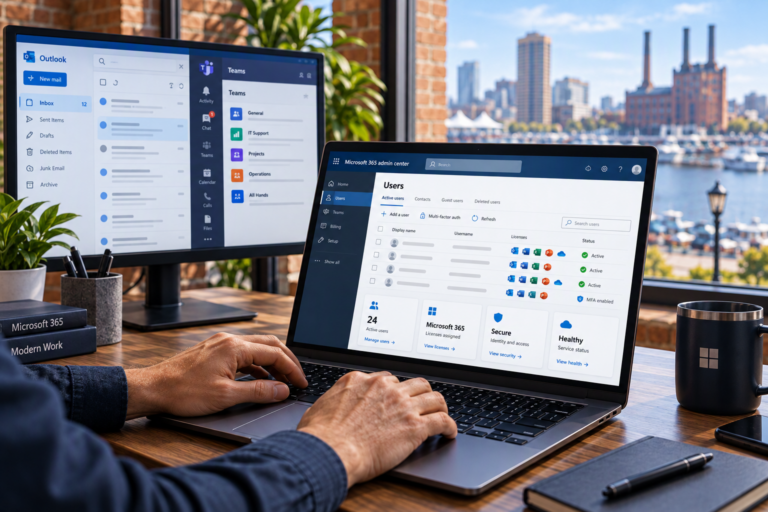
Microsoft 365 email troubleshooting in Baltimore helps businesses resolve communication problems without relying on repeated guesswork. SyncTek Solutions supports small businesses, self-employed professionals, and home offices experiencing delivery failures, Outlook errors, mailbox access problems, or confusing account behavior. Support focuses on identifying the cause, restoring reliable communication, and explaining what needs attention next.
Email problems can look similar while having very different causes. A message stuck in Outlook may involve the computer, while a rejected message could involve the recipient, domain records, or Microsoft 365 configuration. Effective troubleshooting starts by separating those possibilities.
Microsoft 365 Email Troubleshooting in Baltimore
SyncTek Solutions provides Microsoft 365 administration and troubleshooting, including Exchange Online, business email configuration, mailbox management, and domain support. Whether one employee is affected or an entire office cannot receive messages, the first priority is understanding the scope of the problem.
Useful details include when the issue started, which users are affected, whether email works in a browser, and whether an error or bounce message appears. These clues help narrow the investigation before unnecessary changes are made.
Common Email Problems We Help Address
- Sending and receiving failures: Messages bounce, remain unsent, arrive late, or never appear where expected.
- Outlook connection problems: The application disconnects, repeatedly asks for credentials, or does not synchronize correctly.
- Mailbox access issues: Users cannot open their mailbox or access a shared mailbox they need.
- Domain configuration errors: DNS records direct mail incorrectly or fail to support required authentication.
- Unexpected message handling: Rules, forwarding settings, junk filtering, or quarantine affect delivery.
- Account and licensing concerns: User configuration or service assignments prevent expected mailbox functionality.
Not every issue originates in Microsoft 365. Local connectivity, device settings, third-party software, or the receiving organization’s systems may be involved. Troubleshooting should follow the evidence rather than assume a single cause.
What the Service May Include
Depending on the symptoms and agreed scope, assistance may involve reviewing account status, mailbox settings, permissions, Outlook configuration, email routing, and DNS records. For delivery issues, message details and available administrative diagnostics can help establish whether a message was accepted, rejected, redirected, or filtered.
SyncTek Solutions also supports SPF, DKIM, and DMARC configuration. These email authentication standards help receiving systems evaluate whether messages are authorized to use your domain. If authentication is contributing to a delivery problem, it needs coordinated attention rather than an isolated Outlook repair.
Shared mailbox issues may require a permissions review, while onboarding and offboarding problems may involve user administration. Microsoft 365 support can address these connected concerns within the appropriate service scope.
A Practical Troubleshooting Process
1. Gather Examples and Establish Impact
Provide the affected email addresses, approximate message times, error text, and recent changes. Avoid sending passwords by email. Access to administrative tools should be arranged securely and limited to what the work requires.
2. Separate Device Problems from Service Problems
Comparing Outlook with browser-based email can help identify whether an issue is local or broader. Checking affected users and service health can also prevent needless device changes during a platform disruption.
3. Correct the Underlying Configuration
The appropriate fix might involve mailbox permissions, account settings, DNS, an Outlook profile, or another identified cause. Changes should be proportionate to the issue, with attention to their effect on other users and services.
4. Verify Normal Operation
Testing should match the original complaint. That may mean exchanging messages with external recipients, checking shared mailbox access, or confirming that synchronization works again. Any remaining dependencies or recommended follow-up should be explained clearly.
Productivity and Security Belong Together
Unexpected forwarding, unfamiliar mailbox rules, or unexplained sign-in behavior can warrant a security review. Restoring email access alone may not address the underlying account concern. MFA and appropriate administrative access are useful parts of a broader Microsoft 365 security approach.
Backup planning serves a different purpose: maintaining recoverable copies of important information. SyncTek Solutions provides Microsoft 365 backup solutions as a related service, with options discussed separately from immediate troubleshooting.
Why Choose SyncTek Solutions?
SyncTek Solutions is a practical technology partner for Baltimore-area organizations without an internal IT department. Recommendations are understandable, service is personalized, and the emphasis is on reliable operation rather than unnecessary complexity.
Standard phone and email technical support is available Monday through Friday, 9:00 AM to 6:00 PM Eastern Time. After-hours support may be handled on a best-effort basis; it is not guaranteed around-the-clock human support.
FAQs
Should I delete and recreate my Outlook profile first?
Not automatically. Checking browser access, error messages, and account status first can avoid unnecessary work and protect locally stored information.
Can you help with shared mailboxes?
Yes. SyncTek Solutions provides shared mailbox and mailbox management support, including troubleshooting access and configuration issues.
Will authentication changes guarantee inbox delivery?
No. Authentication is only one factor. Recipient policies, reputation, content, and other conditions can also affect delivery.
Request Technical Support
Call 410-368-0084 or email support@syncteksolutions.com with a brief description of the problem. Contact SyncTek Solutions to discuss troubleshooting scope and current pricing.