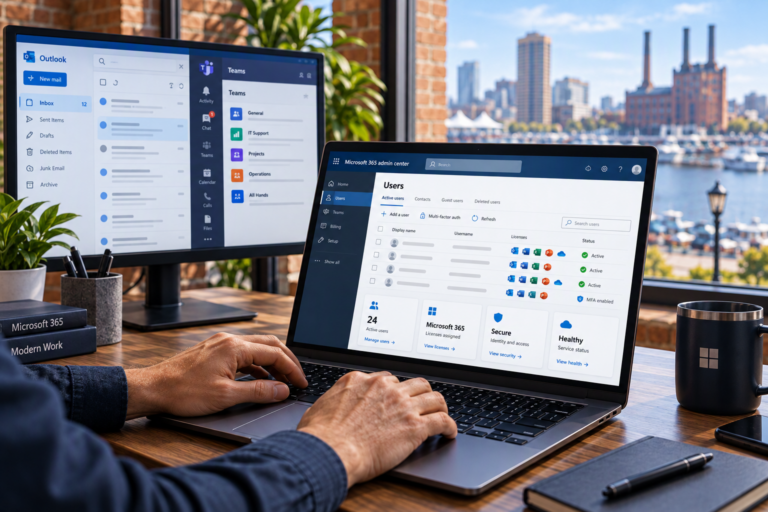
Computer hardware upgrades in Baltimore, MD can help an otherwise useful computer keep up with everyday work without immediately replacing it. SyncTek Solutions helps small businesses, home offices, and residential users identify performance limitations, evaluate compatible upgrades, and make practical decisions about their equipment.
A slow computer does not always need more hardware. Software problems, limited storage, aging components, and background activity can produce similar symptoms. Our approach starts with understanding the problem so recommendations address the cause rather than simply adding parts.
Computer Hardware Upgrades in Baltimore, MD
A hardware upgrade changes or expands a computer’s physical components to improve performance, capacity, or usability. The right improvement depends on the computer’s design, condition, and daily workload. A system used for email and bookkeeping has different requirements from one handling large design files or frequent multitasking.
SyncTek Solutions provides hardware diagnostics and upgrade assistance with an emphasis on appropriate spending. If a computer has limited upgrade options or other significant problems, replacement may be the more sensible investment. You receive understandable recommendations rather than pressure to purchase unnecessary equipment.
When an Upgrade May Make Sense
Consider an assessment if your computer takes too long to start, struggles when several applications are open, or regularly runs out of storage. These issues can interrupt customer service, make remote work frustrating, and turn routine tasks into avoidable delays.
- Slow startup and file access: An aging storage drive may be contributing to delays.
- Difficulty multitasking: Insufficient memory can limit how comfortably applications run together.
- Limited storage capacity: Documents, photographs, and application files may have outgrown the existing drive.
- Changing work requirements: New software may require more resources than the original configuration provides.
- Uncertain equipment condition: Diagnostics can help distinguish an upgrade opportunity from a failing computer.
These symptoms are starting points, not proof that a particular component needs replacement. Checking system health first helps avoid spending money on an upgrade that will not solve the underlying issue.
What Hardware Upgrade Support Can Include
Memory and storage evaluation
Memory, often called RAM, provides working space for active applications. Additional compatible memory can help when a system regularly reaches its existing limit. Storage holds the operating system, applications, and files. Where compatible, replacing an older mechanical drive with a solid-state drive can improve responsiveness.
Not every computer supports these changes. Some laptops have memory built into the main board, and storage connectors and physical dimensions vary. Compatibility must be confirmed before selecting parts.
Diagnostics and performance review
SyncTek Solutions can evaluate hardware concerns alongside software behavior and operating system performance. This broader review helps identify whether a component upgrade, software troubleshooting, or a replacement plan better fits your needs.
Data migration and backup assistance
A storage upgrade may require moving files, applications, or the operating system. Data migration and backup assistance help address that transition. Migration transfers information; a backup provides another recoverable copy if the original becomes unavailable. These are related tasks, but one should not automatically be treated as a substitute for the other.
A Practical Upgrade Process
- Discuss the symptoms: Explain what feels slow, which programs you use, and what you need the computer to handle.
- Evaluate the equipment: Review the system’s condition, configuration, and upgrade limitations.
- Compare options: Consider the expected improvement, equipment age, and whether replacement offers better value.
- Plan the work: Address important files, software requirements, and potential interruption before proceeding.
- Check the result: Confirm that the computer recognizes the upgraded hardware and review everyday operation.
Professional assistance is especially useful when compatibility, data transfer, and hardware condition are uncertain. A component that physically fits is not necessarily the right choice for the system or the workload.
Local Support Beyond the Upgrade
SyncTek Solutions offers personalized technology assistance for Baltimore-area customers, including nearby communities such as Dundalk and Towson. Recommendations focus on reliability, security, and useful service lifenot specifications alone.
Related computer support can address Windows or macOS issues, software troubleshooting, and backup planning. For businesses needing ongoing maintenance, managed computer services may provide monitoring, patch management, and endpoint security depending on the selected plan. Hardware improvements and routine maintenance work together, but they solve different problems.
FAQs
Will more memory fix every slow computer?
No. Additional memory helps when insufficient RAM is a limiting factor. Storage problems, software issues, or other hardware limitations may require a different solution.
Can every laptop be upgraded?
No. Upgrade options depend on the model and its internal design. An assessment can establish what is practical before you buy components.
How much will an upgrade cost?
Costs depend on compatible parts and the work required. Contact SyncTek Solutions to discuss the scope and review current pricing information before proceeding.
Request Computer Upgrade Assistance
Find out whether an upgrade is the right next step. Contact SyncTek Solutions at 410-368-0084 or support@syncteksolutions.com to discuss your computer, performance concerns, and priorities.