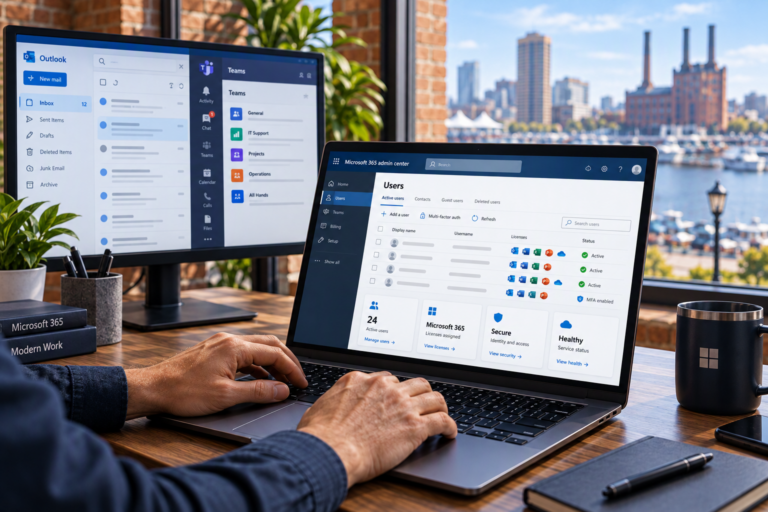
Email Migration in Baltimore, MD helps businesses move from an existing email environment to a new one with a clear plan for messages, accounts, and employee access. SyncTek Solutions provides Microsoft 365 migration assistance for small businesses and home offices that want practical guidance throughout the transition.
Changing email providers is not just a matter of updating passwords. Existing information must be assessed, new mailboxes prepared, and incoming messages directed to the right destination. Careful coordination helps reduce disruption without promising that every migration will be instantaneous or problem-free.
Email Migration in Baltimore, MD
Email migration is the process of transferring supported mailbox information between systems. Depending on the source platform and migration method, that information may include messages and folders, while calendars, contacts, archives, and shared resources may require separate handling.
SyncTek Solutions helps evaluate the existing environment and plan a move to Microsoft 365. The scope should clearly identify what will transfer, what needs additional work, and what limitations must be addressed before the transition begins.
When Should You Consider a Migration?
A migration may make sense when your current service no longer supports your workflow, business accounts are scattered across different providers, or your organization wants Microsoft 365 email alongside its other productivity tools.
Common starting points include:
- Moving from an existing hosted email service to Microsoft 365.
- Replacing an inconsistent collection of personal and business addresses.
- Organizing email administration as a small team grows.
- Improving ownership and management of company accounts.
- Addressing a provider change that requires a planned transition.
Not every email problem requires moving platforms. An initial review can help distinguish issues that need troubleshooting from situations where a migration is a practical next step.
What Migration Planning Should Cover
Mailboxes and existing information
Start by identifying active users, mailbox sizes, shared addresses, aliases, and historical information the business needs. Messages stored only on individual computers require special attention because they may not exist on the current email server.
SyncTek Solutions can help assess these requirements and explain which items the proposed migration approach supports. Keeping an inventory helps prevent assumptions about what will appear in the new environment.
Domains and connected services
Your domains DNS records control where new mail is delivered. They also help receiving systems verify legitimate senders. Website forms, scanners, customer management tools, and marketing services may rely on the current email configuration.
These dependencies should be identified before changing mail routing. Otherwise, employee mailboxes may work while an overlooked business application stops sending messages correctly.
Access and security
New accounts need appropriate licenses, permissions, and sign-in protection. Multi-Factor Authentication may require employees to complete additional setup, so instructions and timing should be considered before the move.
Administrative access to the current provider, Microsoft 365, and domain records is often necessary. Required access should be confirmed early rather than discovered missing on transition day.
A Structured Email Migration Process
1. Assess the source and destination. Review the existing platform, mailbox information, user requirements, and Microsoft 365 environment. Identify technical limitations and confirm the intended scope.
2. Prepare the new environment. Configure the required accounts, mailboxes, domain settings, and security controls. Establish how shared addresses and permissions will work after the move.
3. Coordinate the transfer. Plan supported data transfers and the timing of the mail-routing change. Where the chosen method allows, portions of the work may occur before new messages are directed to the destination.
4. Update employee access. Help users connect supported applications and devices. Employees should know when to start using the new service and how to report missing information or sign-in problems.
5. Validate the transition. Check representative migrated information, sending, receiving, and shared mailbox access. Confirm that connected sending services have been considered before retiring the old environment.
Why Professional Coordination Matters
Migration problems often come from overlooked details rather than the message transfer itself. A missing domain login, local archive, or application dependency can delay work and create uncertainty.
SyncTek Solutions offers personalized Baltimore-area assistance with clear explanations and practical planning. Migration can be coordinated with business email setup, Microsoft 365 license management, and ongoing Exchange Online administration, helping your business move toward an environment that remains supported afterward.
Backup planning also deserves attention. A migration creates a new working environment, but it is not automatically an ongoing backup solution. Important information needs a recovery strategy appropriate to your business.
FAQs
Will all of our email data move?
That depends on the source system, data condition, and migration method. Supported items and exceptions should be confirmed during assessment, especially for calendars, contacts, archives, and shared resources.
Can we keep receiving email during the move?
The transition is planned to reduce disruption, but timing and continuity depend on the systems involved. DNS updates and application changes can temporarily affect access or routing.
When can we cancel the old service?
Wait until the agreed transfer and validation steps are complete and any remaining dependencies are resolved. Cancelling too early can remove access to information still needed.
Plan Your Email Move
Call 410-368-0084 or email support@syncteksolutions.com to discuss your migration with SyncTek Solutions. Start with a review of your current service, users, and business priorities.