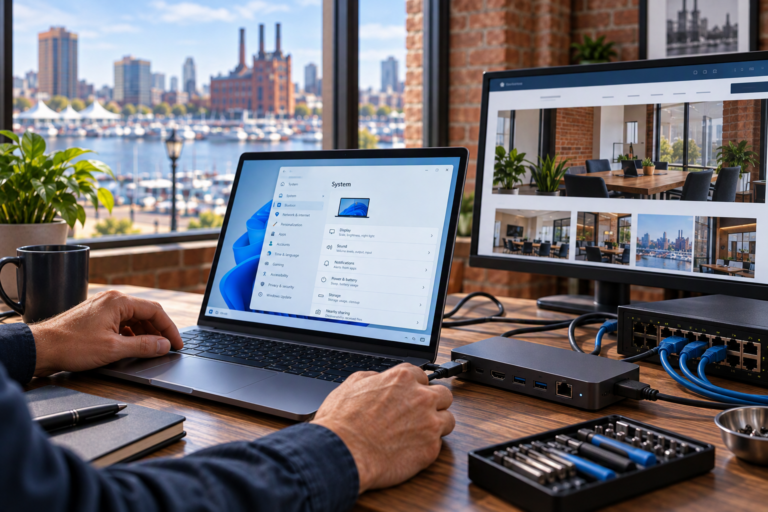
Firewall management in Baltimore helps small businesses keep network access controls organized, maintained, and aligned with daily operations. SyncTek Solutions provides firewall and gateway management as part of its network services, helping businesses address configuration changes, maintenance needs, and connectivity problems without relying on guesswork.
A firewall should not be treated as equipment that is installed once and forgotten. Employees change, applications evolve, and remote access requirements grow. Ongoing management helps keep the configuration relevant while reducing avoidable exposure and unnecessary disruption.
Firewall Management in Baltimore for Small Businesses
A firewall controls network traffic according to defined rules. In practical terms, those rules determine which connections are allowed between networks, devices, and services. A gateway often also handles the connection between the business network and the internet.
Management focuses on maintaining that existing equipment and its settings over time. This differs from firewall installation and configuration, which establishes a new device or replaces an existing one. Both services matter, but ongoing maintenance addresses the changes that occur after deployment.
Businesses without internal IT staff often benefit from having a technical partner review requests and maintain consistent settings. This is especially useful when employees work remotely, guest devices share the location, or several business systems need different access permissions.
What Ongoing Firewall Support May Include
The appropriate service depends on your equipment, environment, and selected plan. SyncTek Solutions network services may include:
- Rule management: Adjusting access permissions to support legitimate business requirements.
- Firmware management: Reviewing and applying appropriate equipment software updates.
- Configuration backups: Preserving settings to support recovery or future equipment changes.
- VPN support: Managing supported remote-access or site-to-site connections.
- Network segmentation: Helping separate devices and control communication between network groups.
- Connectivity troubleshooting: Investigating access problems involving firewall or gateway settings.
- Documentation: Keeping useful information about the network and its configuration organized.
- Security recommendations: Identifying practical improvements to access controls and administration.
A VPN, or virtual private network, creates an encrypted connection between supported endpoints. Remote-access VPNs can connect an authorized user to business resources, while site-to-site VPNs can connect networks at different locations.
Keeping Access Rules Useful and Understandable
Firewall settings can become difficult to follow when changes accumulate without clear documentation. A temporary exception may remain long after a project ends, or an old connection may no longer serve a legitimate purpose.
Professional management helps connect each change to a business need. Instead of broadly opening access because an application is not working, troubleshooting should identify the required connection and limit permissions appropriately.
This approach also supports reliability. Overly restrictive settings can interrupt legitimate work, while unnecessarily broad settings can increase exposure. The objective is controlled access that supports operations without removing safeguards simply for convenience.
How the Management Process Works
Review the Existing Environment
The starting point is understanding the firewall, connected networks, remote access arrangements, and business-critical applications. Existing documentation and known problems help establish priorities.
Identify Maintenance and Configuration Needs
Reviewing the setup may reveal outdated firmware, unclear access rules, missing configuration backups, or equipment limitations. Recommendations should distinguish necessary maintenance from optional improvements.
Coordinate Changes With Business Operations
Some updates or configuration changes can temporarily affect connectivity. Planning the work and confirming expected effects helps the business prepare. Applicable professional service time and any additional charges should be clarified through the selected service arrangement.
Maintain Visibility Over Time
Network monitoring can complement firewall management by helping identify availability or performance concerns. Applicable managed services may include 24/7 automated monitoring and alerting; coverage and response arrangements depend on the service selected.
A Firewall Is One Security Layer
A maintained firewall does not make a business completely secure. Endpoint protection, software updates, strong account controls, multi-factor authentication, and appropriate backups address other risks.
SyncTek Solutions takes a layered approach to small-business cybersecurity. Firewall management can work alongside managed IT and endpoint security, while backup planning addresses the separate need for recoverable copies of important information.
Why Choose SyncTek Solutions?
SyncTek Solutions offers Baltimore-area businesses personal technical assistance and understandable recommendations. The focus is appropriate protection, organized systems, and long-term reliability rather than unnecessary complexity. Month-to-month service options are available, with scope and current pricing to be confirmed for your needs.
FAQs
Can an existing firewall be managed?
Existing equipment can be reviewed for compatibility and suitability. Hardware condition, support status, and available management features may influence the recommendation.
Does management include guaranteed 24/7 human support?
No. Standard support is Monday through Friday, 9:00 AM to 6:00 PM Eastern Time. After-hours assistance may be handled on a best-effort basis.
Are configuration backups the same as business data backups?
No. Configuration backups preserve equipment settings. Separate backup arrangements are needed for business files, applications, and other important information.
Talk to SyncTek Solutions
Keep your firewall maintained and your network access organized. Call 410-368-0084 or email support@syncteksolutions.com to discuss firewall management and request a network assessment.