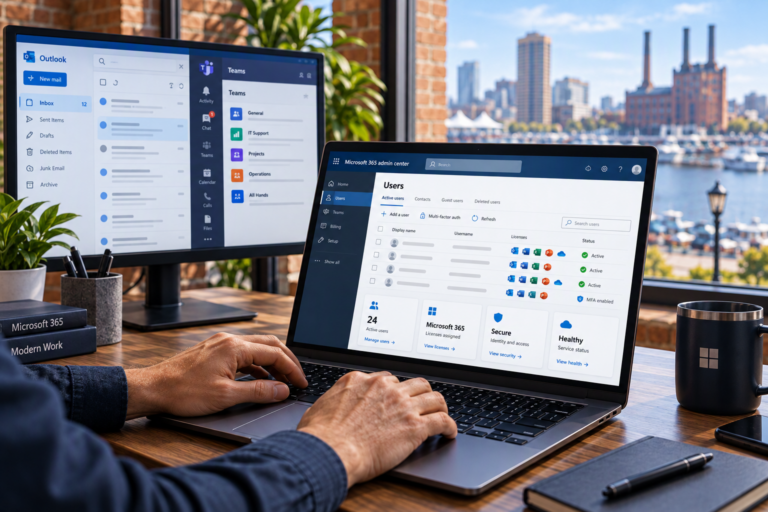
Microsoft 365 Backup in Baltimore, MD helps small businesses plan for the recovery of important cloud-based information. SyncTek Solutions provides Microsoft 365 backup solutions and recovery planning assistance for organizations that need a clearer answer to a practical question: What happens if information we rely on is no longer available?
Using cloud services does not remove the need to think about deletion, corruption, unauthorized changes, or recovery requirements. A backup is intended to provide another recoverable copy of important data. The right approach starts with understanding which information matters and how your business would need it restored.
Microsoft 365 Backup in Baltimore, MD
Business information may be distributed across Exchange Online mailboxes, OneDrive for Business, SharePoint, and collaboration workflows. A backup plan should identify the relevant data sources rather than assuming that one setting protects everything employees see in Microsoft 365.
SyncTek Solutions helps Baltimore-area businesses evaluate their backup requirements and discuss suitable coverage. The exact workloads, retention periods, recovery options, and administrative responsibilities depend on the selected solution and service scope. Those details should be confirmed before relying on a backup arrangement.
Why Cloud Storage and Backup Are Different
Cloud storage makes information available through an online service. Synchronization keeps information aligned between locations or devices. Backup serves a different purpose: retaining recoverable copies that can help when the working information is lost or changed.
For example, a deletion may synchronize from a computer to cloud storage. That behavior can be normal for a synchronization tool, even when the deletion was accidental. A recovery plan needs to account for that possibility instead of treating synchronized files as an independent backup.
Microsoft 365 includes native recovery and retention capabilities, but their availability and behavior vary by workload, configuration, and licensing. These features can be useful. They should be evaluated against your requirements rather than assumed to cover every loss scenario or every desired recovery period.
Define What Your Business Needs to Recover
Backup planning becomes more useful when it addresses specific business questions. Depending on your environment, a review may consider:
- Important data: Which mailboxes, files, and shared resources are essential to daily operations?
- Coverage: Does the proposed solution protect the relevant workloads and data types?
- Backup frequency: How much recent work could the business reasonably tolerate losing?
- Retention: How far back might you need to recover an earlier copy?
- Restore options: Can the required individual items or larger collections be recovered?
- Access controls: Who can manage backups, change settings, or request a restoration?
- Employee changes: What happens to protected information when an account is removed or reassigned?
These questions help distinguish a meaningful recovery strategy from simply purchasing a tool. Any industry, contractual, or legal retention requirements should also be identified; a backup product should not automatically be treated as a complete compliance solution.
A Practical Backup Planning Process
Review the Current Environment
Start by identifying where business information resides and what recovery capabilities already exist. Shared files may need different treatment from personal working documents, and an important shared mailbox should not be overlooked just because it is not assigned to one employee.
Establish Coverage and Responsibilities
The selected solution should be matched to the agreed requirements. Setup planning should clarify what is included, how new users or resources are handled, and who is responsible for reviewing backup status. Monitoring and related service activities depend on the chosen arrangement.
Plan and Verify Recovery
A recovery plan should explain how to request a restore, what information is needed, and where recovered items should go. Appropriate restore testing can help evaluate whether the process works as expected. A successful backup status alone does not answer every question about how quickly useful information can be recovered.
Backup Supports Security but Does Not Replace It
Backup and cybersecurity are related, but they solve different problems. MFA, appropriate permissions, and email authentication help reduce certain risks. Backup helps provide recovery options when important information is lost, corrupted, deleted, encrypted, or otherwise unavailable.
Restoring data also does not automatically resolve an underlying account compromise. If unauthorized access caused the loss, account security needs attention alongside recovery. Microsoft 365 Security and Microsoft 365 Support can therefore complement backup planning without being confused with backup itself.
Local Guidance With Clear Expectations
SyncTek Solutions works with small businesses and home offices in Baltimore and surrounding Maryland communities. The emphasis is on understandable recommendations, personalized assistance, and appropriate technology rather than unnecessary complexity.
Pricing depends on the selected solution and service scope. Consult current SyncTek Solutions pricing information and confirm coverage, retention, monitoring, and recovery assistance before selecting an arrangement. Do not assume unlimited storage or immediate restoration unless expressly included.
FAQs
Does OneDrive synchronization count as backup?
Not by itself. Synchronization can carry deletions and changes between locations. Recovery requirements should be evaluated separately from file synchronization.
Can every Microsoft 365 item be restored?
That depends on solution coverage, available backup copies, retention, and supported restore methods. Important data types should be checked before deployment.
How long will recovery take?
Recovery time varies with the volume of data, restore method, service conditions, and destination. Planning should establish realistic expectations rather than a universal guarantee.
Discuss Your Microsoft 365 Backup Needs
Contact SyncTek Solutions at 410-368-0084 or support@syncteksolutions.com to review important business information, existing protection, and practical recovery options.