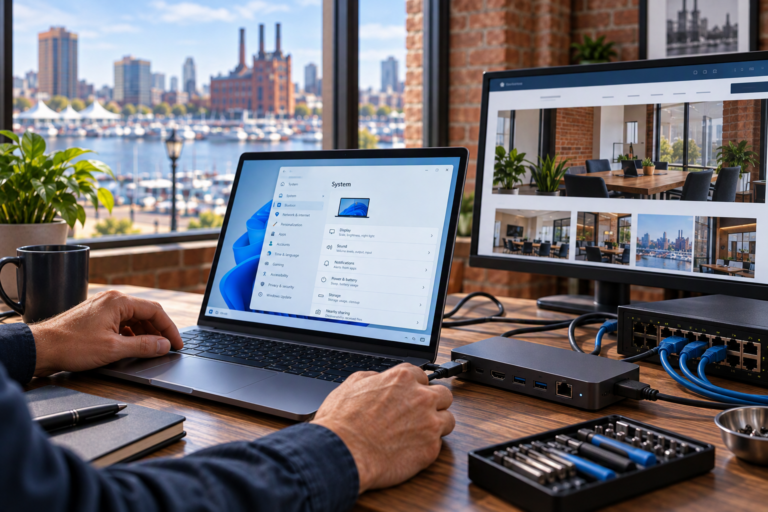
Microsoft 365 Security in Baltimore, MD helps small businesses protect accounts, business email, and shared information through practical configuration and ongoing attention. SyncTek Solutions provides security-focused Microsoft 365 services for organizations that need clear guidance without unnecessary complexity or fear-based recommendations.
Security is not a single switch or product. It involves how employees sign in, who has administrative access, how information is shared, and what happens when someone leaves. A layered approach addresses those different areas while recognizing that no configuration eliminates every risk.
Microsoft 365 Security in Baltimore, MD
Microsoft 365 connects important business resources, including Exchange Online email, Teams conversations, and files in SharePoint and OneDrive for Business. Because an account may reach several of these resources, protecting account access is a central part of protecting the business.
SyncTek Solutions helps Baltimore-area businesses review relevant settings and choose improvements suited to their environment. Recommendations take account of current subscriptions, employee workflows, and administrative responsibilities. Features that require particular licensing should be verified before they become part of the plan.
Build Protection Around Everyday Work
Strengthen Account Sign-Ins
Multi-Factor Authentication, or MFA, requires an additional verification step beyond a password. That makes a stolen password less useful on its own, although MFA does not prevent every type of account compromise. Setup should include clear employee instructions and attention to the methods available within the environment.
Account recovery arrangements also matter. A lost phone or changed employee contact method should not lead to improvised workarounds that undermine protection. Appropriate administrative assistance can help users regain legitimate access while preserving sensible safeguards.
Review Administrative Permissions
Administrative accounts can change important settings and access arrangements. Giving those privileges to more people than necessary increases exposure and makes responsibility less clear. An account review can help identify who needs elevated access and where ordinary day-to-day work should use fewer permissions.
Organize Sharing and Employee Access
Employees should have access appropriate to their responsibilities. Shared mailboxes, Teams workspaces, and business files can become difficult to control when permissions grow without review. Onboarding and offboarding provide important opportunities to confirm access, preserve needed information, and remove permissions that are no longer justified.
Improve Business Email Authentication
Email authentication uses domain records to help receiving systems assess whether messages are legitimately associated with your business domain. SyncTek Solutions can assist with SPF, DKIM, and DMARC configuration as part of Microsoft 365 security work.
- SPF: Identifies the systems authorized to send email for your domain.
- DKIM: Adds a digital signature that receiving systems can use to check the signing domain and message integrity.
- DMARC: Builds on SPF and DKIM alignment, provides reporting instructions, and requests how receiving systems handle authentication failures.
These controls help address certain forms of domain impersonation, but they do not stop all unwanted or deceptive email. Configuration should also account for legitimate senders such as website forms or other business platforms. Applying a restrictive policy before understanding those senders can interfere with valid messages.
A Practical Security Review Process
Useful security work starts with understanding the current environment. Relevant areas may include active accounts, administrative privileges, authentication settings, domain records, and the way employees share information. Findings should be translated into understandable priorities rather than an unexplained list of technical warnings.
Changes can then be planned around business impact. Employees may need instructions before sign-in requirements change, and email authentication updates may require coordination with domain management. After implementation, checking expected workflows helps identify unintended access or delivery problems.
Security settings also need attention as the business changes. New employees, outside collaborators, applications, and email senders can alter the original assumptions. Ongoing management can be discussed where a one-time configuration is not enough.
Connect Cloud Security With Broader Protection
Microsoft 365 security is only one part of your technology environment. Updated computers, endpoint protection, network safeguards, and sensible user practices also matter. SyncTek Solutions takes a layered approach across its cybersecurity and managed technology services.
Backup has a different purpose: providing another recoverable copy when information is lost, corrupted, or otherwise unavailable. Microsoft 365 Backup should therefore be considered alongside preventive controls, not treated as a substitute for them.
Why Choose SyncTek Solutions?
SyncTek Solutions offers local, personalized help for smaller organizations and home offices. Recommendations focus on appropriate protection, understandable administration, and long-term reliability. The scope, available features, and pricing should be confirmed for your selected services rather than assuming every security capability is included.
FAQs
Is MFA enough to secure Microsoft 365?
No. MFA is valuable, but permissions, email authentication, device security, and account lifecycle management still require attention. Multiple safeguards address different risks.
Does email authentication block all phishing?
No. It can help reduce certain types of domain spoofing, but misleading messages can still arrive from other domains or compromised legitimate accounts.
Can security changes affect employees?
Yes. Sign-in requirements and access changes may alter daily workflows. Planning and clear communication help employees adapt without unnecessary confusion.
Request a Microsoft 365 Security Review
Call 410-368-0084 or email support@syncteksolutions.com to discuss your Microsoft 365 environment with SyncTek Solutions and identify practical next steps.