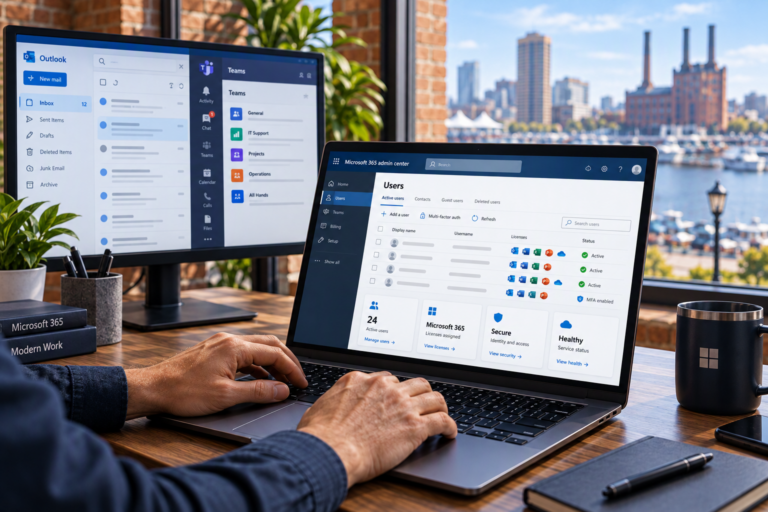
New computer setup in Baltimore helps you move from an unopened device to a computer ready for everyday use. SyncTek Solutions assists small businesses, home offices, and residential customers with Windows and macOS setup, software installation, data migration, and practical security recommendations.
A new computer should make work easier, but the transition can raise plenty of questions. Which account should you use? Where are your old files? Will your printer connect? Professional setup helps address those details while building a more organized foundation for ongoing reliability.
New Computer Setup in Baltimore
Computer setup involves more than completing the initial welcome screens. A useful configuration considers your applications, user accounts, files, peripherals, network access, and backup needs. For business computers, it should also account for who will use the device and what information they need to access.
SyncTek Solutions focuses on appropriate settings and understandable recommendations. Whether you are replacing an aging laptop or preparing a workstation for an employee, the goal is to make the computer fit its intended purpose without adding unnecessary software or complexity.
What Setup Assistance May Include
The appropriate scope depends on the device, operating system, existing equipment, and your requirements. New computer setup may include:
- Initial Windows or macOS configuration.
- Operating system and supported software updates.
- User account setup and access configuration.
- Installation of required, properly licensed applications.
- Business email and Microsoft 365 configuration.
- Migration of selected documents and other accessible data.
- Printer and peripheral setup.
- Network and Wi-Fi connection assistance.
- Security settings and endpoint protection recommendations.
- Backup planning and configuration assistance.
Not every item is needed for every customer, and some work may require separate services or subscriptions. Discuss your priorities and consult current SyncTek Solutions pricing information before proceeding.
A Practical Setup and Migration Process
Identify What You Need to Keep
Start with the applications, files, accounts, and connected devices you rely on. Include documents stored outside standard folders and any software that has its own export or migration process. For a business, identify shared resources and employee access requirements.
Review the Old and New Computers
Moving from Windows to macOS, changing software versions, or replacing a failing drive can affect the transition. SyncTek Solutions can help assess compatibility and explain limitations. Data migration depends on the condition and accessibility of the source information.
Configure Accounts, Software, and Security
Appropriate account setup helps keep personal and business use organized. Updates and supported software provide a better starting point, while security recommendations may include endpoint protection and multi-factor authentication. Multi-factor authentication adds a verification step beyond a password for supported accounts.
Transfer Data and Test Everyday Tasks
After files and applications are in place, test the activities that matter: opening documents, sending email, accessing shared resources, printing, and joining online meetings. Do not erase the old computer until important data and required functions have been checked and an appropriate backup is in place.
Setup for Small Businesses and Home Offices
A business computer should support consistent working practices. Standardizing applications, documenting equipment, and giving users appropriate access can make future support easier. Employee onboarding may also involve Microsoft 365 accounts, shared mailboxes, OneDrive for Business, or other company resources.
SyncTek Solutions provides Microsoft 365 administration, technology planning, and managed computer services alongside setup assistance. Depending on the selected managed plan, ongoing services may include patch management, automated system health monitoring, endpoint security, and remote support capabilities.
These options are worth discussing if you want continued maintenance rather than setup alone. Any included professional service time and additional charges should be confirmed for the selected plan.
Security and Backup from the Beginning
A new device is a good opportunity to review how important information is protected. Security tools, updates, and sensible account permissions help reduce risk, but no configuration guarantees complete protection.
Backups address a separate need: keeping another recoverable copy of important data if the original is deleted, corrupted, lost, or otherwise unavailable. File synchronization alone should not automatically be assumed to meet every recovery requirement. SyncTek Solutions can help discuss an appropriate backup approach for your information.
Why Choose Professional Setup?
Professional assistance helps uncover dependencies that are easy to miss, such as an older application’s compatibility requirements or files stored only on the previous computer. SyncTek Solutions combines local Baltimore-area support with straightforward guidance, helping you understand the configuration rather than leaving you with unfamiliar settings.
FAQs
Can you set up Windows and Mac computers?
Yes. SyncTek Solutions supports Windows and macOS, with setup recommendations based on the device and your needs.
Can all my old software be transferred?
Not always. Applications may require reinstallation, valid licensing, or a compatible version. Some older programs may not work on the new system.
Can setup be completed remotely?
Some tasks can be handled remotely once the computer has a working connection. Physical connections and certain migration tasks may require onsite assistance where available.
Get Started with Your New Computer
Contact SyncTek Solutions at 410-368-0084 or support@syncteksolutions.com to discuss your new computer, existing data, software needs, and preferred support arrangements.