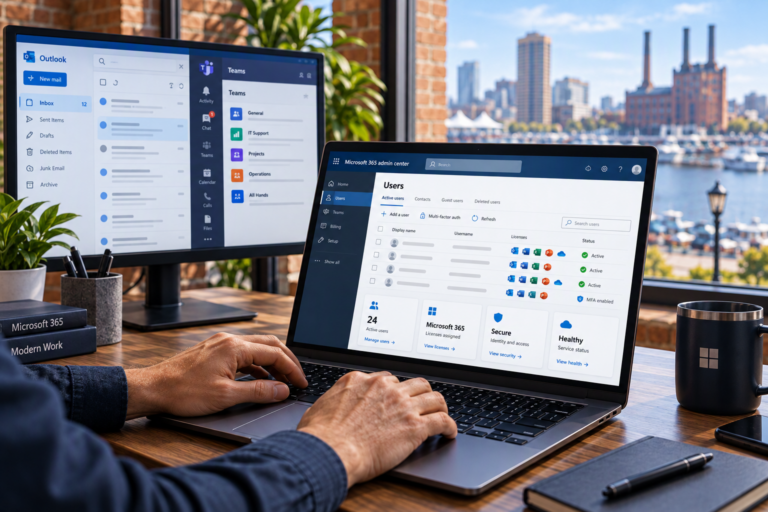
New Employee IT Setup in Baltimore, MD helps businesses prepare the accounts, computers, and access new hires need to begin working. SyncTek Solutions supports employee onboarding through practical computer setup, Microsoft 365 administration, security configuration, and technical assistance tailored to smaller organizations.
A new employee’s first day should not revolve around finding passwords, waiting for software, or discovering that important files are inaccessible. Preparing technology in advance helps reduce these interruptions and gives managers a repeatable process for welcoming people to the team.
New Employee IT Setup in Baltimore, MD
IT onboarding is the technical part of bringing a new employee into a business. It connects the person with a suitable device, approved applications, business accounts, and the permissions required for their role.
For Baltimore-area businesses without internal IT staff, these tasks often fall to an owner or office manager. SyncTek Solutions helps organize the technical work so responsibilities are clearer and setup decisions do not have to be reinvented with every hire.
Preparation is useful for onsite and remote employees alike. A remote worker may need additional attention to connectivity and approved remote access, while an office employee may need printers, shared resources, or workstation configuration.
What Can New Hire Setup Include?
The exact scope depends on your systems, available equipment, and the employee’s responsibilities. Services may include:
- Computer preparation: Setting up a new or reassigned Windows or macOS computer.
- Software installation: Installing approved applications with appropriate licensing.
- Microsoft 365 accounts: Preparing business email and relevant productivity services.
- Access configuration: Assigning approved access to shared mailboxes, files, and collaboration resources.
- Account security: Configuring supported security settings and assisting with MFA setup.
- Device maintenance: Applying appropriate updates and configuring selected endpoint protection.
- Connectivity: Setting up printers, business network access, or supported remote access as needed.
- Documentation: Recording the assigned device and relevant setup details.
Ongoing monitoring, maintenance, and technical support are separate considerations from initial setup. These capabilities may be available through managed computer services, with features and included service time determined by the selected plan.
Start with the Employee’s Role
A successful setup begins with an approved list of requirements. The employee’s manager should identify the applications, shared information, and communication tools needed for the job. Technical setup can then follow those requirements instead of assuming that every employee needs the same access.
For example, someone handling scheduling may need a shared mailbox and calendar but not financial records or administrative permissions. Providing appropriate access from the start helps protect information while avoiding unnecessary barriers to everyday work.
Copying another employee’s permissions without review can carry forward access that no longer makes sense. A role-based checklist is a more consistent starting point, with exceptions approved by the business.
A Practical Onboarding Process
Confirm Requirements Before Setup
Useful details include the start date, work location, manager, required applications, device availability, and who can approve access. Providing this information early creates time to address missing equipment, subscriptions, or application requirements.
Prepare the Device and Accounts
Once the scope is confirmed, the technical work can include computer configuration, account creation, software installation, updates, and security settings. Reassigned equipment should be reviewed so the previous user’s access and data are handled appropriately before reuse.
Check the Working Setup
A practical readiness check looks at whether the employee can sign in, use email, open required applications, and reach approved resources. Testing these basics helps uncover missing permissions or configuration issues before they interrupt work.
Support the Handoff
Employees need to understand how to complete required sign-in steps and where to request help. MFA adds another identity check beyond a password, so enrollment should involve the intended employee rather than relying on another person’s verification method.
Connect Onboarding with Long-Term Management
New hire setup is also an opportunity to improve consistency. Documented equipment assignments and standard configurations make later troubleshooting, replacements, and employee departures easier to manage.
Related services such as user and device management, Microsoft 365 administration, and IT planning help maintain that consistency. Backup planning should also account for where employees save important business information; installing security software does not create a backup.
Why Choose SyncTek Solutions?
SyncTek Solutions offers personalized support and straightforward recommendations for local small businesses. The focus is on giving employees a practical working setup without adding unnecessary products or complexity.
Remote and onsite assistance depend on the service and setup requirements. Standard phone and email technical support is available Monday through Friday, 9:00 AM to 6:00 PM Eastern Time. After-hours assistance may be handled on a best-effort basis, not as guaranteed availability.
FAQs
Can you set up an existing computer for a new employee?
Yes. SyncTek Solutions provides computer setup and related support. Suitability depends on the device’s condition, software requirements, and how existing data must be handled.
How much notice should we provide?
Contact SyncTek Solutions as soon as the hiring details are confirmed. Timing depends on equipment availability, account requirements, and the scope of work.
Can you help after the employee starts?
Yes. Technical support and managed services are available. Confirm support coverage, current pricing, and any included service hours for your arrangement.
Prepare for Your Next Hire
Call 410-368-0084 or email support@syncteksolutions.com to discuss new employee IT setup with SyncTek Solutions. Share the start date and job requirements to begin planning.