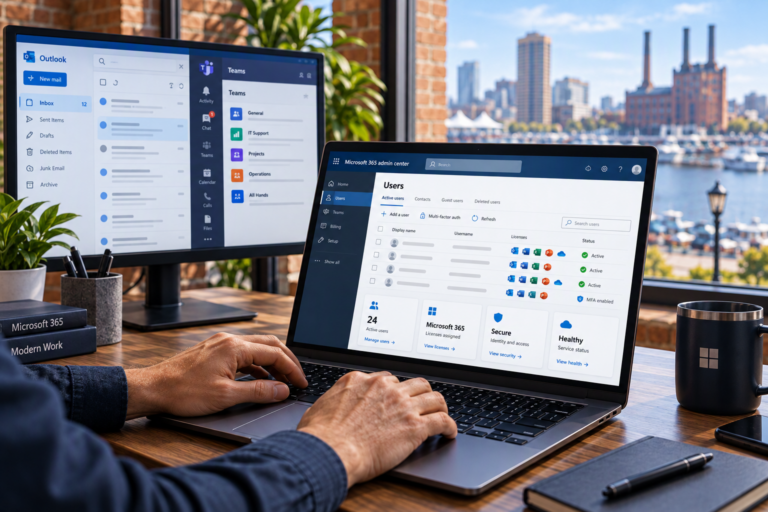
PC Performance Optimization in Baltimore, MD helps identify why a computer feels slow and which changes are likely to improve everyday use. SyncTek Solutions provides practical support for small businesses, home offices, and residential customers who want more responsive computers without unnecessary upgrades or replacement purchases.
A slow PC can turn routine tasks into interruptions. Opening documents, joining meetings, switching applications, or waiting for startup can take longer than expected. Optimization starts with understanding those problems and matching recommendations to the work you actually need the computer to do.
PC Performance Optimization in Baltimore, MD
Performance optimization is the process of reviewing how a computer uses its resources and addressing avoidable bottlenecks. A bottleneck is a limitation that holds back the rest of the system, such as insufficient memory for the applications you run.
SyncTek Solutions can help investigate issues including:
- Long startup and sign-in times.
- Applications that open slowly or frequently stop responding.
- Difficulty switching between several programs.
- Excessive background activity during ordinary work.
- Low available storage and recurring space warnings.
- Uncertainty about whether an upgrade would be worthwhile.
The objective is not to promise that every older computer will perform like a new one. It is to identify realistic improvements, explain limitations, and help you decide where to invest your time and budget.
Find the Real Source of Slow Performance
Slowdowns can have several causes. Too many startup applications may delay sign-in, while limited memory can make multitasking difficult. Storage constraints, software conflicts, and pending maintenance can also affect responsiveness.
Sometimes the problem is not the PC itself. A slow website, unstable internet connection, or busy cloud application can feel like a computer performance issue. Separating local device problems from network or online service problems helps avoid changes that will not address the cause.
Hardware diagnostics also matter. If storage is failing or another component is unreliable, a software cleanup is not an adequate solution. Protecting important information and addressing the underlying fault should take priority over attempts to improve speed.
What Optimization Support Can Include
Startup and Software Review
Reviewing startup items and installed applications can identify unnecessary background activity. Changes should account for what you use and what the system requires. Removing unfamiliar programs without checking their purpose can create new problems.
Operating System Troubleshooting
Windows issues, application conflicts, and unsuccessful updates can affect normal operation. SyncTek Solutions provides Windows Support and software troubleshooting to address problems that go beyond ordinary performance tuning.
Storage and Resource Assessment
Understanding available storage and resource usage can help explain slow behavior. Cleanup should be deliberate, especially where business records, personal documents, or application data are involved. Important files should not be deleted simply to create space.
Hardware Upgrade Guidance
SyncTek Solutions provides hardware diagnostics and upgrades. Depending on compatibility and the identified limitation, an upgrade such as additional memory or different storage may be worth considering. Recommendations should reflect the computer’s condition and intended use, not just its age.
A Practical Optimization Process
The starting point is your experience: which tasks feel slow, how often the problem occurs, and whether it affects one program or the entire computer. Examples are more useful than a general impression of poor performance.
After reviewing the likely causes, the next step is identifying appropriate changes. Some problems may be addressed through configuration and maintenance, while others require repairs or hardware improvements. Before significant changes, discuss important files and the status of your backups.
Checking the original tasks afterward helps determine whether the work addressed the complaint. Results vary by hardware, software requirements, and the source of the slowdown. There is no responsible way to guarantee a particular percentage increase for every PC.
Keep Performance Improvements Sustainable
Avoid treating security features as obstacles to speed. Disabling protection or ignoring updates may introduce risks without resolving the underlying performance issue. A useful optimization plan balances responsiveness, security, and reliability.
For businesses with several computers, managed services can support ongoing maintenance and performance monitoring. Depending on the selected plan, services may include system health monitoring, patch management, remote support, and alerts. These options help shift attention from repeated slowdowns toward proactive management.
SyncTek Solutions offers personalized Baltimore-area support and straightforward recommendations. Remote support may be suitable for software-related work, while hardware assessment or upgrades may require physical access or onsite assistance where available.
FAQs
Will optimization make my old PC as fast as a new computer?
Not necessarily. Improvements depend on the cause of the slowdown and the hardware’s limits. Some systems benefit from targeted changes; others are better candidates for replacement.
Do I need more memory?
Possibly, but memory is only one factor. Reviewing your applications and resource use helps determine whether additional memory would address the actual problem.
Should I use an automatic PC cleaner?
Be cautious with tools that promise dramatic improvements. Unnecessary cleanup or system changes can create problems. A targeted diagnosis is more useful than applying broad fixes without context.
Request Performance Support
Contact SyncTek Solutions at 410-368-0084 or support@syncteksolutions.com to discuss your slow PC and current support pricing. Standard phone and email support is available Monday through Friday, 9:00 AM to 6:00 PM Eastern Time.