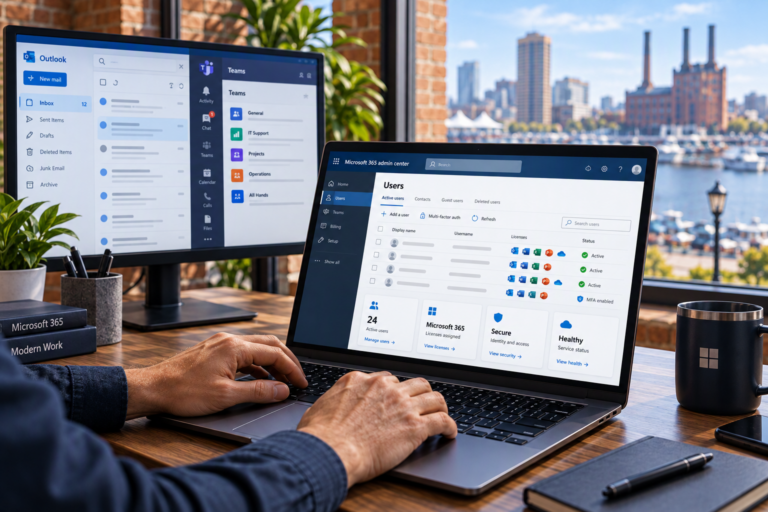
User & Mailbox Management in Baltimore helps businesses keep Microsoft 365 accounts, email access, and employee changes organized. SyncTek Solutions provides practical administration for small organizations that need dependable business email and clear account controls without assigning every technical task to the owner.
Employee accounts connect people to email, documents, meetings, and other business resources. When those accounts are created inconsistently or left active after someone leaves, everyday administration becomes harder and unnecessary security risks can develop.
User & Mailbox Management in Baltimore
User management covers creating, updating, securing, and removing access to organizational accounts. Mailbox management focuses on the email resources connected to those accounts, including addresses, permissions, delivery settings, and troubleshooting.
SyncTek Solutions supports Microsoft 365 administration and Exchange Online, the Microsoft service that handles hosted business email. The approach combines productivity with security: employees should have the tools they need, while account access should reflect their current responsibilities.
Who Needs Ongoing Account Administration?
This service is useful for small businesses, professional offices, home-based companies, and organizations without internal IT staff. Even a small team can benefit from consistent procedures when hiring, changing roles, or replacing computers.
- New employees need working email and appropriate access on their first day.
- Existing staff may require updated names, addresses, groups, or permissions.
- Managers may need approved access to shared resources.
- Departing employees require timely access removal and information preservation.
- Business owners need visibility into account status and subscription assignments.
A repeatable process helps prevent rushed changes, forgotten accounts, and uncertainty about who can access important information.
What User and Mailbox Support Can Include
Services are scoped around your Microsoft 365 environment and business requirements. Administration may include:
- Creating and updating organizational user accounts.
- Assigning available subscriptions according to approved requirements.
- Configuring business email addresses and aliases.
- Reviewing mailbox access and delegated permissions.
- Managing appropriate group memberships.
- Supporting password resets and sign-in troubleshooting.
- Coordinating multi-factor authentication enrollment.
- Investigating email delivery and mailbox access problems.
- Supporting employee onboarding and offboarding.
- Documenting relevant account changes and administrative procedures.
An email alias is an additional address that delivers to an existing mailbox; it is not automatically a separate inbox. Delegated access allows an approved person to work with another mailbox using their own account. Explaining these distinctions helps businesses choose the right configuration.
A Consistent Employee Account Process
Confirm the Business Request
Account changes should begin with authorization from the appropriate business contact. The request should identify the employees role, required services, start or departure date, and any access that needs special approval.
Configure Appropriate Access
Permissions should match job responsibilities rather than automatically copying every privilege from another employee. Administrative access deserves particular attention because it can affect other users and organizational settings.
Test Email and Sign-In
For new or changed accounts, testing can confirm that sign-in works, email is functioning, and required resources are available. Employees should also understand their authentication method and how to request help.
Handle Departures Deliberately
Offboarding involves more than deleting an account. Depending on the situation, it may require blocking sign-in, revoking sessions, removing access, preserving business information, and deciding how future messages should be handled. These steps should follow an approved plan.
Removing a subscription or deleting an account can affect data availability. Retention, transfer, and mailbox conversion options should be reviewed before changes are made, especially when the business needs ongoing access to historical information.
Why Professional Management Matters
Inconsistent administration can leave employees unable to work or give them access they no longer need. Professional support helps make changes deliberate, documented, and aligned with your business priorities.
SyncTek Solutions offers personalized Microsoft 365 assistance for Baltimore-area organizations, including businesses in Towson and Parkville. Recommendations are explained in plain language, with attention to practical security and long-term reliability rather than unnecessary complexity.
User administration can also be coordinated with shared mailbox setup, OneDrive management, endpoint support, and Microsoft 365 backup planning. Available features and subscription requirements are reviewed before recommendations are made.
FAQs
Can an employee have more than one email address?
Yes. Additional aliases may deliver to the same mailbox. If several employees need to manage a common address, a shared mailbox may be more appropriate than adding an alias to one persons account.
Should we delete an account as soon as someone leaves?
Access should be addressed promptly, but deletion should follow a plan for preserving required information. Blocking access and reviewing data needs are separate decisions from permanently removing the account.
Can you troubleshoot existing mailbox problems?
Yes. SyncTek Solutions provides Microsoft 365 and email troubleshooting. The investigation may involve account settings, permissions, application configuration, domain records, or service conditions.
Get Help Managing Microsoft 365 Accounts
Contact SyncTek Solutions at 410-368-0084 or support@syncteksolutions.com to discuss user and mailbox administration. Review current pricing information and request a service scope that fits your teams needs.