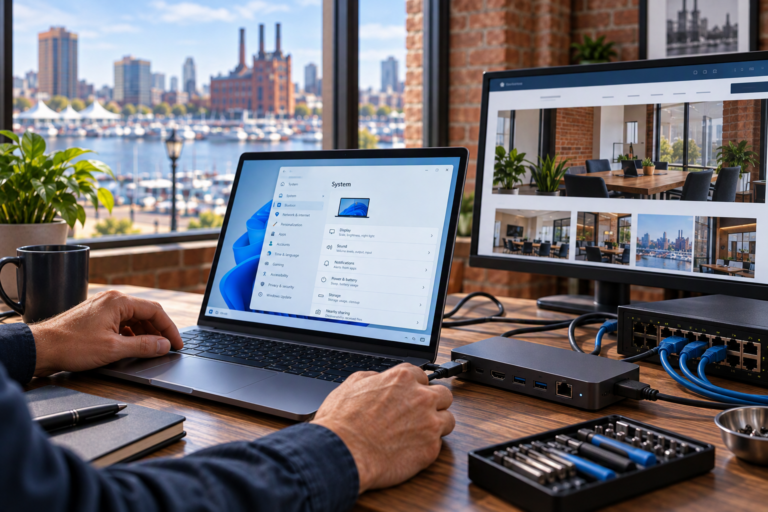
Wireless access point installation in Baltimore, MD helps businesses and home offices create more dependable Wi-Fi where people actually work. SyncTek Solutions provides network equipment deployment, wireless configuration, and Wi-Fi optimization with attention to coverage, security, and ongoing reliability. Instead of assuming a stronger router will solve every problem, the focus is on matching your wireless setup to your space and connected devices.
Unreliable Wi-Fi can interrupt video meetings, delay cloud applications, and make routine work unnecessarily difficult. Thoughtful access point placement and configuration can address coverage gaps and improve how wireless devices share the available network connection.
Wireless Access Point Installation in Baltimore, MD
A wireless access point provides a Wi-Fi connection to your existing network. Unlike a router, which directs traffic between networks, an access point primarily connects wireless devices to the local infrastructure. Many home routers combine both functions, but a separate access point can provide more flexibility in placement and coverage.
This service is useful for small offices, storefronts, home workspaces, and other locations where one wireless device cannot adequately serve the entire area. It can also help organizations that need separate employee and guest wireless access.
When Additional Wi-Fi Coverage Makes Sense
- Dead zones: Certain rooms or work areas receive weak or inconsistent signals.
- Growing device counts: More laptops, phones, and connected equipment are sharing the network.
- Uneven performance: Connections work near the router but deteriorate elsewhere.
- Changing layouts: New workstations or relocated meeting spaces need reliable wireless access.
- Guest access needs: Visitors need internet access without unnecessary access to business resources.
- Disconnected wireless equipment: Multiple independently configured devices make management confusing.
Adding access points is not automatically the right answer to every slowdown. Limited internet capacity, interference, or an existing network fault may also be involved. Reviewing the current environment helps determine whether installation, optimization, or troubleshooting should come first.
Planning Placement and Equipment
Wireless signals are affected by distance, building materials, neighboring networks, and device capabilities. Equipment hidden in a cabinet or placed at one end of a building may not provide useful coverage throughout the space. Planning considers where users need connectivity rather than simply where equipment is easiest to place.
The existing wired network matters, too. Access points need an appropriate connection and power source. Some use Power over Ethernet, or PoE, which supplies power through a compatible network cable and switch. Compatibility and any infrastructure requirements should be reviewed before installation so the equipment plan is realistic.
What Installation May Include
Depending on the agreed scope and your existing infrastructure, wireless deployment may include:
- Reviewing coverage goals, device needs, and current network equipment.
- Recommending appropriate access point placement and equipment.
- Connecting and configuring supported wireless access points.
- Setting wireless network names and security options.
- Configuring guest access and network separation where supported.
- Adjusting wireless settings to improve coverage and reduce interference.
- Checking connectivity in the areas that matter to your users.
Any mounting, cabling, or additional infrastructure requirements should be discussed during planning rather than assumed to be included. The right scope depends on the location and the equipment selected.
Security and Usability Together
A usable wireless network should also have sensible access controls. Strong wireless credentials, appropriate encryption, current firmware, and protected administrative access help reduce avoidable risks. Guest separation can limit visitors’ access to internal resources when supported and configured correctly.
Business devices such as printers may need to remain accessible to authorized users. Configuration should account for those requirements rather than separating devices in ways that interrupt normal work. No wireless setup eliminates every security risk, but careful configuration supports a more manageable environment.
Local Support Beyond Installation
SyncTek Solutions provides personalized Baltimore-area assistance for customers who want understandable recommendations rather than unnecessary complexity. Related services include Network Troubleshooting, Router & Network Equipment Installation, and Managed Network Services.
For applicable managed services, ongoing support may include wireless access point management, firmware updates, monitoring, and performance tuning. That can be helpful as devices, work patterns, and neighboring wireless conditions change. Ask about current pricing and which ongoing options fit your requirements.
FAQs
Will an access point increase my internet speed?
It may improve the wireless connection between your devices and your network. It cannot increase the speed supplied by your internet plan or fix every provider-related issue.
How many access points will I need?
That depends on the layout, construction, usage, and connected devices. More equipment is not always better because poorly planned access points can interfere with one another.
Can employees and guests use different Wi-Fi networks?
Yes, supported equipment can be configured for separate wireless networks. Effective separation also depends on the router, switches, and security settings behind those networks.
Request a Network Assessment
Discuss your coverage gaps and wireless requirements with SyncTek Solutions. Call 410-368-0084 or email support@syncteksolutions.com to plan a practical Wi-Fi installation for your Baltimore-area business or home office.