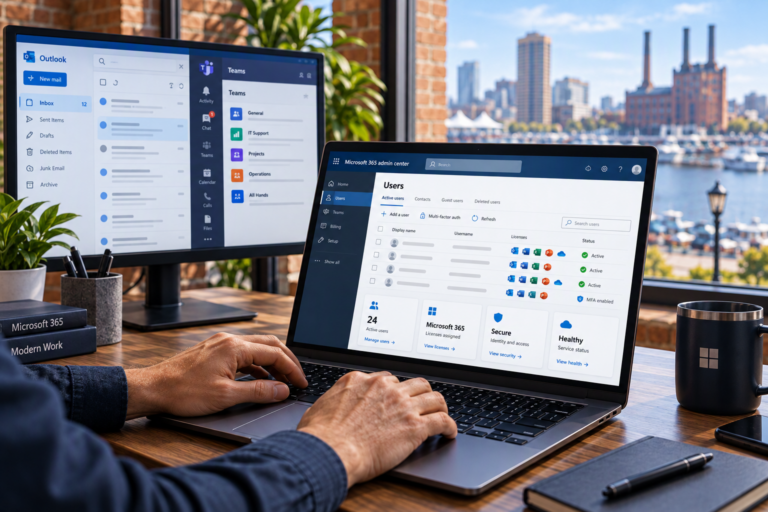
Computer Security in Baltimore, MD should help protect your information without making everyday technology unnecessarily difficult to use. SyncTek Solutions helps small businesses, home offices, and residential customers take a practical, layered approach to device protection, account security, software updates, and backup planning.
No single application or setting can make a computer completely secure. Reliable protection comes from several safeguards working together, supported by consistent maintenance. The right approach depends on how you use your devices, what information they hold, and who needs access.
Computer Security in Baltimore, MD
A business workstation, a self-employed professional’s laptop, and a shared household computer have different needs. SyncTek Solutions provides personalized recommendations rather than assuming every customer needs the same tools or level of management.
Computer security support can address concerns such as:
- Uncertainty about whether devices have appropriate endpoint protection.
- Missing operating system and application updates.
- Weak account protection or unnecessary administrator privileges.
- Inconsistent settings across business computers.
- Limited visibility into device health and suspicious activity.
- Important information that lacks a dependable backup strategy.
For Baltimore-area businesses without internal IT staff, organizing these responsibilities can be as important as selecting software. Knowing which devices exist, who uses them, and how they are maintained creates a stronger foundation for ongoing support.
Build Protection in Layers
Endpoint Protection
An endpoint is a device, such as a desktop or laptop, that connects to your technology environment. Endpoint protection helps detect and address malicious software and suspicious activity on that device.
SyncTek Solutions uses SentinelOne Complete as part of its managed endpoint security offering. It provides antivirus capabilities along with Endpoint Detection and Response, or EDR. EDR adds visibility into potentially harmful activity and supports response efforts. It does not guarantee that every threat will be prevented.
Updates and Patch Management
Software updates can correct security weaknesses as well as operational problems. Patch management is the organized process of applying those fixes. Depending on the selected managed service plan, SyncTek Solutions can provide automatic patch management, device monitoring, and related maintenance.
Account and Access Protection
Multi-factor authentication requires another verification step in addition to a password. It can reduce the risk associated with stolen passwords. Reviewing administrator access also helps limit unnecessary control over a computer or business environment.
For Microsoft 365 users, related security configuration and user administration can help align account protection with the way the organization works. Device security and account security should support one another rather than being treated as unrelated tasks.
Keep Backup Separate From Threat Prevention
Backup and cybersecurity are connected, but they are not interchangeable. Security controls aim to prevent, detect, or limit unauthorized activity. A backup provides another recoverable copy of important information if the original is deleted, corrupted, encrypted, or otherwise unavailable.
SyncTek Solutions helps customers develop backup strategies and provides recovery assistance. Planning should consider which information matters, where it is stored, and how it would be restored. Simply having a security product installed does not establish a recovery plan.
Likewise, a backup does not stop someone from accessing an account without authorization. Both protection and recovery planning deserve attention.
A Practical Approach to Improving Security
Review the Current Environment
A useful starting point is understanding your computers, accounts, existing protection, update habits, and backup arrangements. For businesses, employee onboarding and offboarding also affect who can access information.
Prioritize Meaningful Changes
Recommendations should reflect actual needs. Addressing missing updates, improving account protection, or reviewing administrator privileges may be more useful than purchasing tools without a clear plan. SyncTek Solutions emphasizes appropriate solutions and understandable explanations.
Maintain Protection Over Time
Security requires continuing attention as software, devices, and users change. Managed computer services may include system health monitoring, security monitoring, real-time alerts, remote support capabilities, and issue response, depending on the selected plan.
Automated monitoring is not the same as around-the-clock human support. Applicable managed services may include 24/7 monitoring. Standard phone and email support remains Monday through Friday, 9:00 AM to 6:00 PM Eastern Time; after-hours assistance may be handled on a best-effort basis.
Why Choose SyncTek Solutions?
SyncTek Solutions combines local Baltimore-area support with personalized service and security-focused technology management. Customers receive practical guidance without fear-based claims or promises of complete protection. Month-to-month managed service options allow smaller organizations to explore ongoing support without unnecessary long-term commitments.
Related services include Virus & Malware Removal for suspected infections, Windows Support for operating system issues, and backup planning for information recovery. These services address different needs within a broader technology strategy.
FAQs
Is antivirus enough to protect my computer?
Antivirus is one layer. Updates, account security, appropriate permissions, and backup planning address risks that antivirus alone cannot cover.
Do home offices need computer security support?
Home offices often handle business email, financial information, and client documents. Professional guidance can help match protection to those responsibilities.
Are all security features included in every plan?
No. Monitoring, maintenance, support time, and other features depend on the selected service. Review current plan details and pricing before choosing.
Request a Technology Assessment
Contact SyncTek Solutions at 410-368-0084 or support@syncteksolutions.com to discuss your computer security needs, available service options, and current pricing.