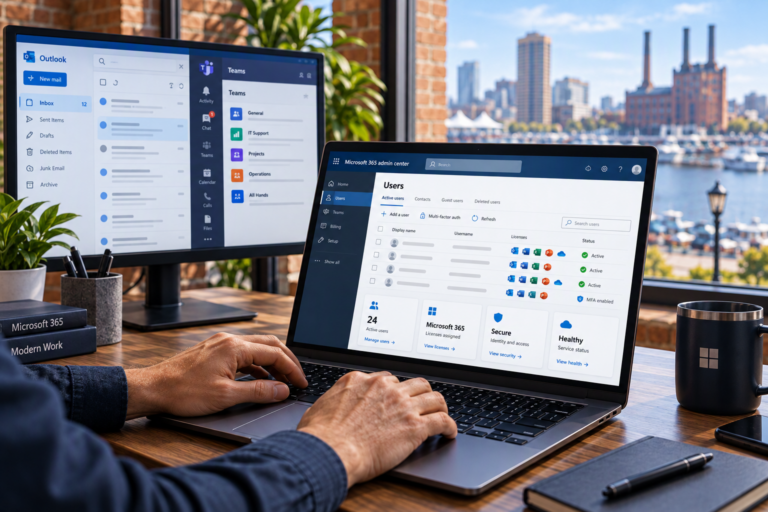
User & Device Management in Baltimore, MD helps small businesses keep employee accounts, computers, and access permissions organized as their needs change. SyncTek Solutions provides practical administration and managed technology services for businesses that need reliable systems without maintaining an internal IT department.
When equipment and accounts are managed separatelyor only reviewed when something breaksimportant details can fall through the cracks. A former employee may retain access, a laptop may miss updates, or nobody may know which software licenses are still needed. A coordinated approach makes everyday support easier while improving visibility and security.
User & Device Management in Baltimore, MD
User management covers the accounts and permissions people need to do their work. Device management covers the computers and other supported equipment they use. Together, these services connect the right person with the right technology and appropriate access.
SyncTek Solutions helps Baltimore-area businesses organize these responsibilities around their actual workflows. A small office with shared resources has different needs from a business with remote employees. Recommendations should reflect those differences rather than force every organization into the same setup.
What Can User and Device Management Include?
The scope depends on your environment and selected services. Support may include:
- User administration: Creating, updating, and removing supported business accounts.
- Microsoft 365 management: Reviewing users, licenses, mailboxes, and access to collaboration tools.
- Device inventory: Documenting computers, assigned users, and relevant equipment details.
- Ongoing maintenance: Operating system updates, patch management, and performance monitoring.
- Endpoint security: Helping protect individual computers through appropriate security tools and settings.
- Remote assistance: Troubleshooting supported devices without always requiring an onsite visit.
- Lifecycle planning: Preparing for equipment replacement, employee changes, and device reassignment.
Applicable managed computer plans may include 24/7 automated system health monitoring and alerts. This monitoring is different from around-the-clock human technical support; support availability and included service time depend on the service arrangement.
Make Access Easier to Understand and Control
Employees should have access to the information and applications required for their roles, without unnecessary administrative privileges. Administrative access allows someone to make significant system changes, so it deserves additional care.
A practical review looks at who has access, why they need it, and who approves changes. Multi-Factor Authentication, or MFA, adds another verification step to sign-ins and can reduce the risk associated with stolen passwords. It works best alongside sensible permissions and consistent account administration.
For example, an employee who changes departments may need different shared files and applications. Updating access at that point is more reliable than simply adding new permissions and leaving every previous permission in place.
A Practical Management Process
Review the Current Environment
The starting point is understanding your users, devices, business applications, and existing support arrangements. Missing inventory information, inconsistent settings, and unsupported software can then be identified and prioritized.
Establish a Consistent Baseline
A baseline is an agreed set of standard settings and practices. Depending on the scope, this may cover account naming, computer configuration, updates, security tools, and documentation. Consistency makes troubleshooting more predictable and helps reduce avoidable setup differences.
Maintain and Adjust Over Time
Technology management continues after the initial setup. Employee arrivals, departures, software changes, and aging equipment all create new requirements. Ongoing maintenance and periodic reviews help keep records and configurations aligned with the business.
Why Use Professional Administration?
Small inconsistencies often become expensive distractions. A missing license can interrupt a new hire’s first day. An undocumented computer can delay troubleshooting. An outdated account can create unnecessary exposure.
Professional administration gives these tasks an organized process instead of leaving them to whoever has spare time. It also connects user management with related needs such as Microsoft 365 support, computer support, endpoint security, and backup planning. Backup remains a separate consideration: monitoring and security tools do not replace recoverable copies of important data.
Why Choose SyncTek Solutions?
SyncTek Solutions offers personalized Baltimore-area support with understandable recommendations and a focus on long-term reliability. Services are designed for smaller organizations, including businesses without dedicated technical staff.
Month-to-month service options are available, and applicable managed services may include professional service hours. Review current pricing information and confirm the service scope before starting; additional professional time outside a plan’s included amount may be billed separately.
FAQs
Can you help manage Microsoft 365 users?
Yes. SyncTek Solutions provides Microsoft 365 administration, including user accounts, license management, mailbox management, and security configuration.
Does every managed device receive the same services?
Not necessarily. Monitoring, security features, support capabilities, and included service time depend on the selected plan and supported environment.
Can this help a very small business?
Yes. Even a few computers and accounts benefit from clear ownership, consistent maintenance, and a documented process for changes.
Get Your Users and Devices Organized
Contact SyncTek Solutions at 410-368-0084 to discuss user and device management. For support requests, email support@syncteksolutions.com. Start with a practical review of what you have and what needs attention.