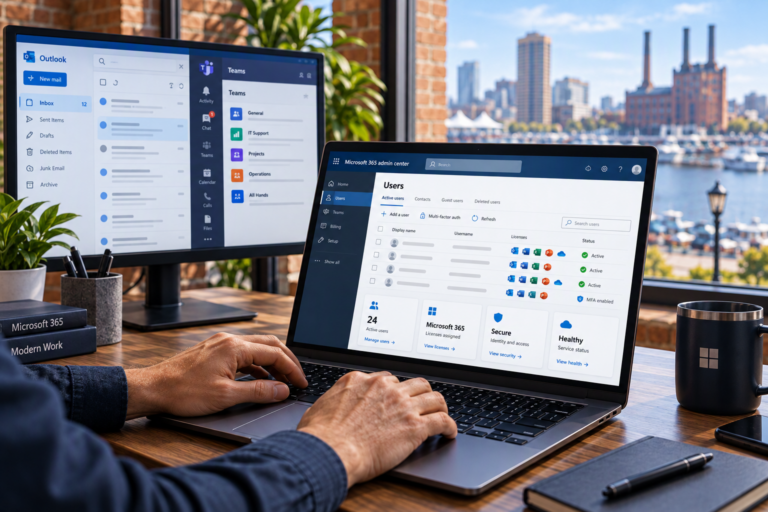
Managed Computer Services in Baltimore, MD provide ongoing attention to the devices your work depends on. SyncTek Solutions helps small businesses and home offices maintain supported computers through monitoring, maintenance, security, and technical assistance. Rather than waiting until a workstation becomes unusable, managed service creates a more consistent approach to device health and everyday reliability.
Managed Computer Services in Baltimore, MD for Reliable Workstations
A managed computer receives continuing oversight instead of only occasional repair. Depending on the selected plan, that oversight may include system health monitoring, automatic patch management, security monitoring, and remote support capabilities. The purpose is to identify developing concerns and handle routine tasks that can otherwise be overlooked.
This service is particularly useful when business owners or employees are maintaining computers alongside their normal responsibilities. It can also help organizations with several devices that have accumulated different settings, update histories, or support needs over time.
What a Managed Computer Plan May Include
SyncTek Solutions offers ongoing computer management with features that vary by service plan. Available components may include:
- 24/7 automated system health monitoring.
- Remote monitoring and real-time alerts.
- Automatic patch management and operating system maintenance.
- Endpoint security and security monitoring.
- Remote support capabilities and issue response.
- Professional technical support.
- Included monthly professional service hours.
Before selecting a plan, confirm which computers are covered, what maintenance is included, and how support time is handled. Included service hours are not the same as unlimited labor. Additional professional service time outside the plan’s allowance may be billed separately.
Why Updates and Monitoring Matter
Keeping maintenance from falling behind
Software patches are updates that address issues such as security vulnerabilities or software defects. A computer that is rarely updated may miss important fixes. Managed patching brings structure to this work, although updates can still require restarts and occasionally need troubleshooting.
Keeping computers maintained also makes it easier to recognize when a problem has a different cause. If a device remains slow despite appropriate upkeep, further investigation may point toward hardware limitations, software behavior, or replacement needs.
Recognizing warning signs
System health monitoring can help surface conditions that deserve attention, such as limited storage or performance concerns. An alert is a signal to investigate, not a guarantee that a failure can always be predicted or prevented. The value comes from improved visibility and the ability to make more informed support decisions.
Endpoint Security as Part of a Layered Approach
An endpoint is a device, such as a computer, that connects to your business environment. SyncTek Solutions uses SentinelOne Complete as part of its managed endpoint security offering. It provides antivirus capabilities along with Endpoint Detection and Response, commonly called EDR.
EDR adds visibility into suspicious activity on a device and supports investigation and response. It is one security layer, not a promise of complete protection. Account security, software updates, appropriate permissions, and user awareness remain important.
Backup addresses a separate need. Security tools aim to reduce threats and support detection, while backup maintains another recoverable copy of important information. Discuss backup planning alongside computer management rather than assuming endpoint protection will restore lost or damaged files.
Getting Your Computers Into a Manageable Routine
Begin by discussing the devices you use, the applications you rely on, and any recurring problems. An accurate device list helps clarify service scope and identify computers that may need attention before ongoing management is useful.
Next, review the available plan features and priorities with SyncTek Solutions. Ask about monitoring, maintenance, security, support availability, and included professional service time. If there are existing performance or hardware concerns, clarify whether separate troubleshooting or upgrade work is needed.
Over time, ongoing monitoring and support can inform maintenance decisions and replacement planning. Related services such as computer support, Microsoft 365 administration, and backup planning can address needs beyond the workstation itself. Those services should be discussed explicitly rather than assumed to be part of every managed computer plan.
Personalized Service and Practical Pricing
SyncTek Solutions provides local Baltimore-area support with understandable recommendations and a focus on long-term reliability. The goal is to keep your existing technology useful where practical and recommend improvements when they address a real need.
Month-to-month service options are available without unnecessary long-term commitments. Review current published pricing where applicable and confirm the scope of your chosen plan. Knowing what is included helps you budget for routine support and distinguish it from additional project work.
FAQs
Does 24/7 monitoring mean someone is always available?
No. Automated monitoring and alerting are different from human support. Standard email and phone support runs Monday through Friday, 9:00 AM to 6:00 PM Eastern Time. After-hours assistance is best effort.
Will managed service prevent every computer problem?
No. Proactive maintenance can reduce avoidable issues, but hardware failures, software conflicts, and security incidents can still occur.
Can managed service make an old computer suitable for any workload?
No. Maintenance helps, but hardware has limits. Diagnostics and technology planning can help determine whether an upgrade or replacement is appropriate.
Discuss Managed Computer Support
Contact SyncTek Solutions at 410-368-0084 or support@syncteksolutions.com to review your computers, discuss management options, and check current pricing.